Overview
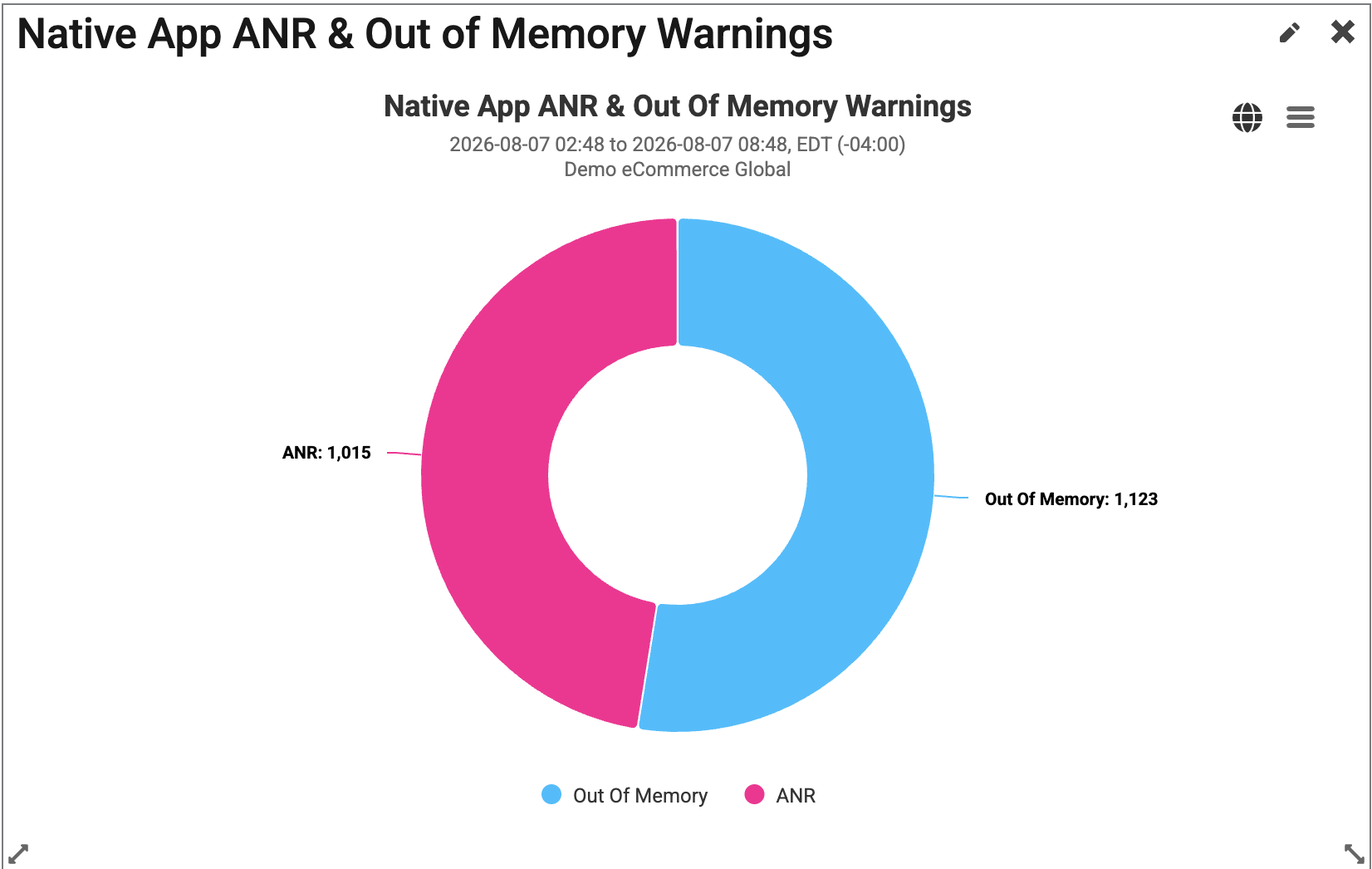
The Native App ANR & Out of Memory widget helps users visualize the count of Application Not Responding (ANR) and Out of Memory warnings that have been received over a specified period of time.
|
This widget is available to be added to custom dashboards. For more information on custom dashboards, please visit How to Create Custom Dashboards, andCustom Dashboard Widgets. |
Navigation from this widget will take the user to the Native App Errors Explorer page.
|
Term |
Definition |
More Information |
|---|---|---|
|
Application Not Responding (ANR) |
When an app becomes unresponsive or stops responding to user input for an extended period of time. |
If the app is in the foreground, the system displays a dialog to the user, which gives them the opportunity to force quit the app. |
|
Out of Memory |
When low memory is being reported on the app. |
Typically reported when the code uses up more than 80% of the app's available memory. |
Find Widget
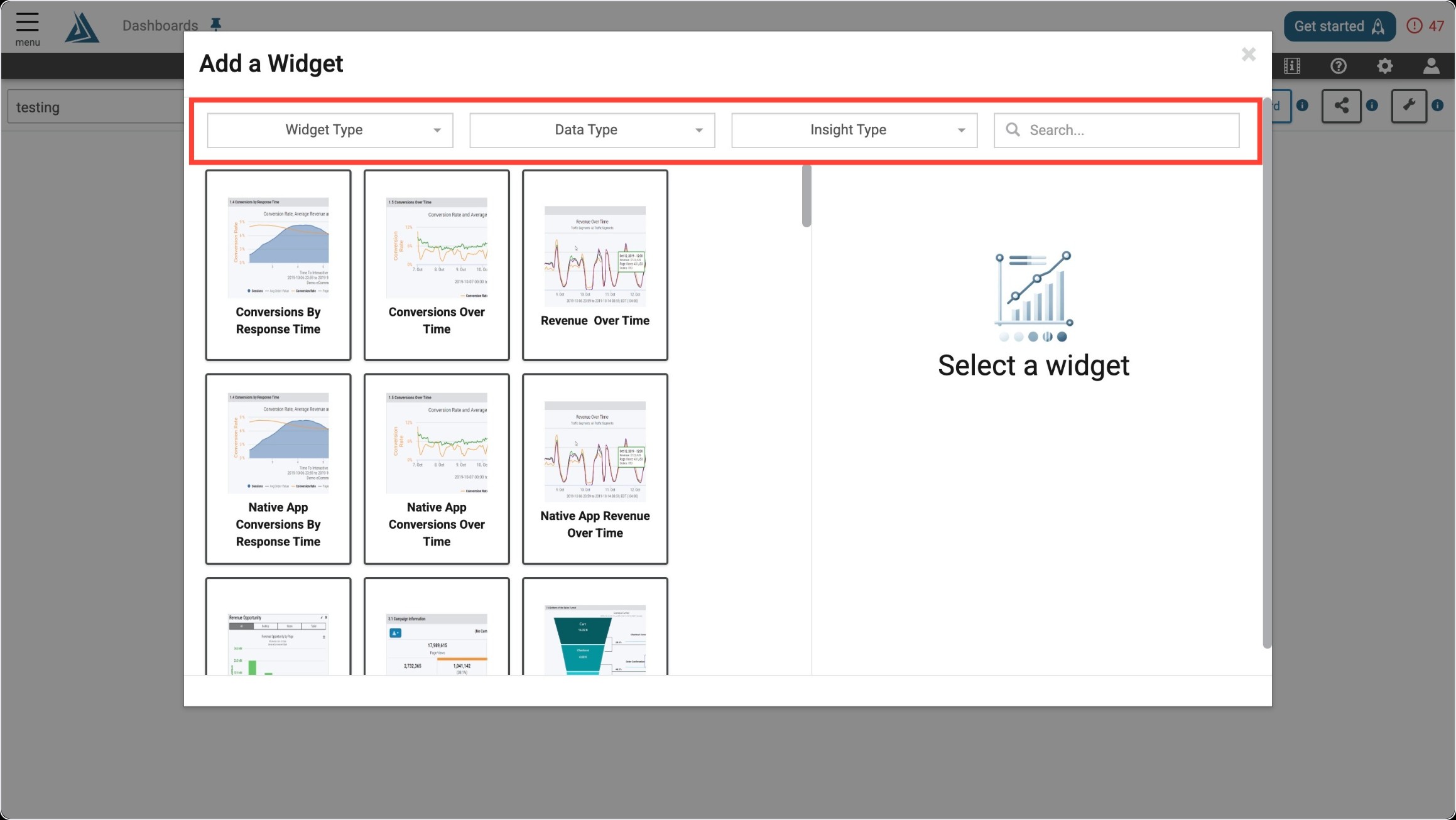
Once you enter the Add a Widget menu, you will see a variety of filter options on top. One way to find the Native App ANR & Out of Memory Warnings Widget is to use the filter options listed below.
|
Filter Title |
Filter Option |
|---|---|
|
Widget Type |
Summaries |
|
Data Type |
Real User |
|
Insight Type |
Performance |
Another way to find the Native App ANR & Out of Memory Warnings Widget is to use the search bar at the top right of the menu.
Widget Configuration
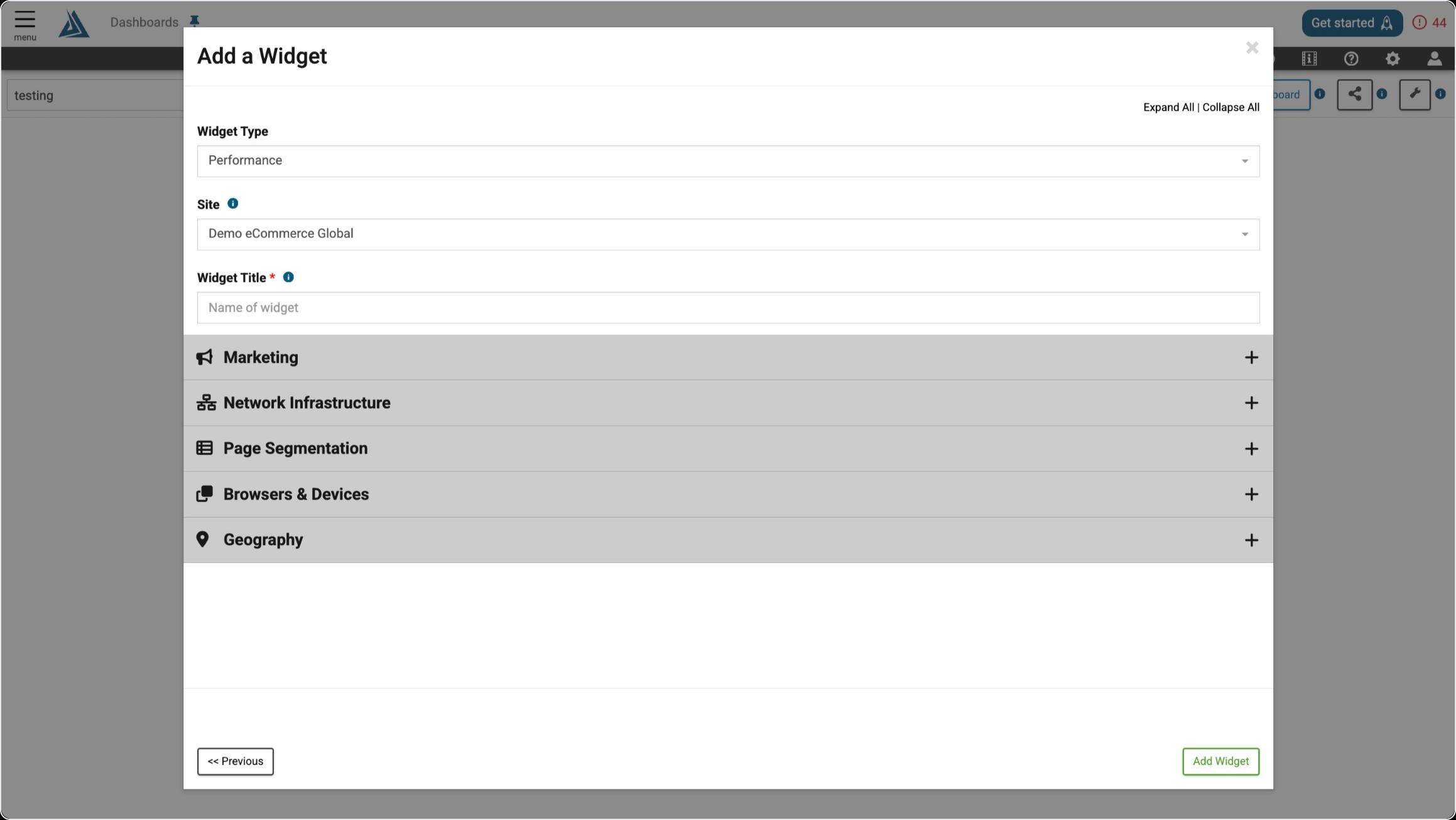
The only required configuration for this widget is a title. The general Marketing, Network Infrastructure, Page Segmentation, Browsers & Devices, and Geography filters are also available in the configuration window, but can be applied after the widget is created as well.