Overview
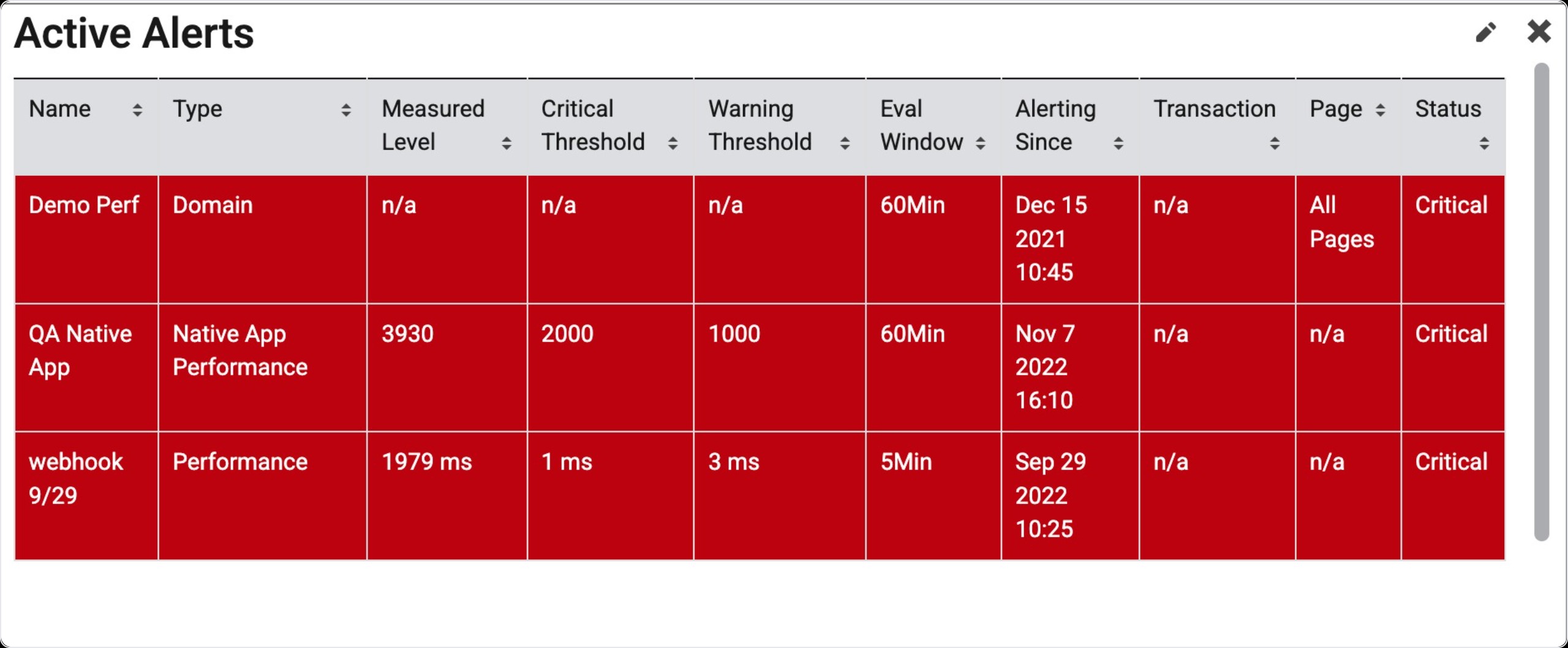
In addition to our alert notifications, you can set up a dashboard widget that shows the alerts you have that are currently in Warning or Critical state in a table format. As soon as your alerts move from Warning or Critical to the Clear state, they will disappear from this widget.
Information Displayed in Table
This widget displays all active alerts. The information displayed on the table for each alert is listed below.
-
Alert Name
-
Alert Type
-
Current Measured Level
-
Critical Threshold
-
Warning Threshold
-
Evaluation Window
-
Alerting Since (when the alert first entered warning/critical state)
-
Transaction (Traffic Segment)
-
Page(s)
-
Status (Warning or Critical)
Find Widget
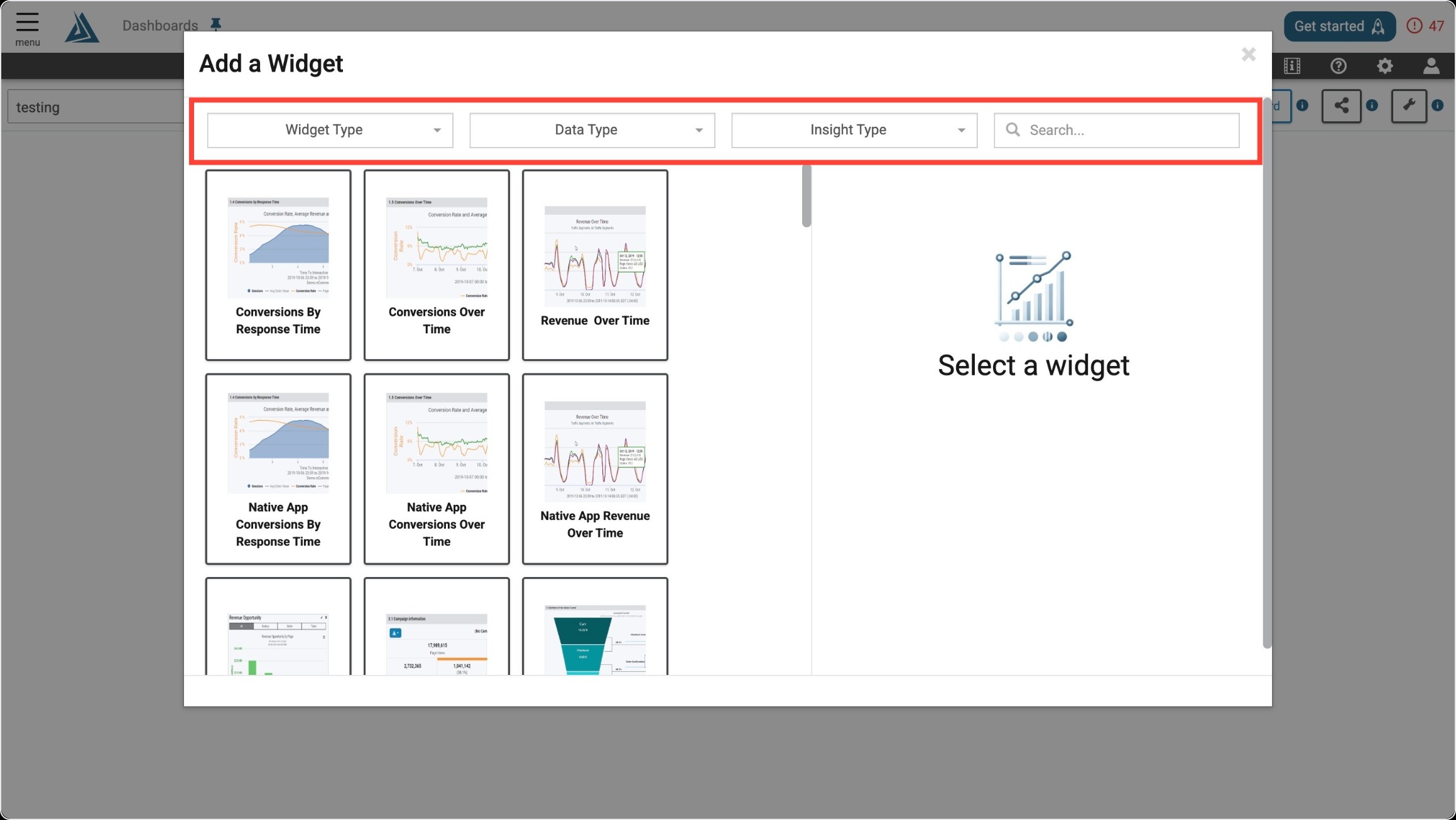
Once you enter the Add a Widget menu, you will see a variety of filter options on top. One way to find the Active Alerts Widget is to use the filter options listed below.
|
Filter Title |
Filter Option |
|---|---|
|
Widget Type |
Alerts/Notification |
Another way to find the Active Alerts Widget is to use the search bar at the top right of the menu.
Widget Configuration
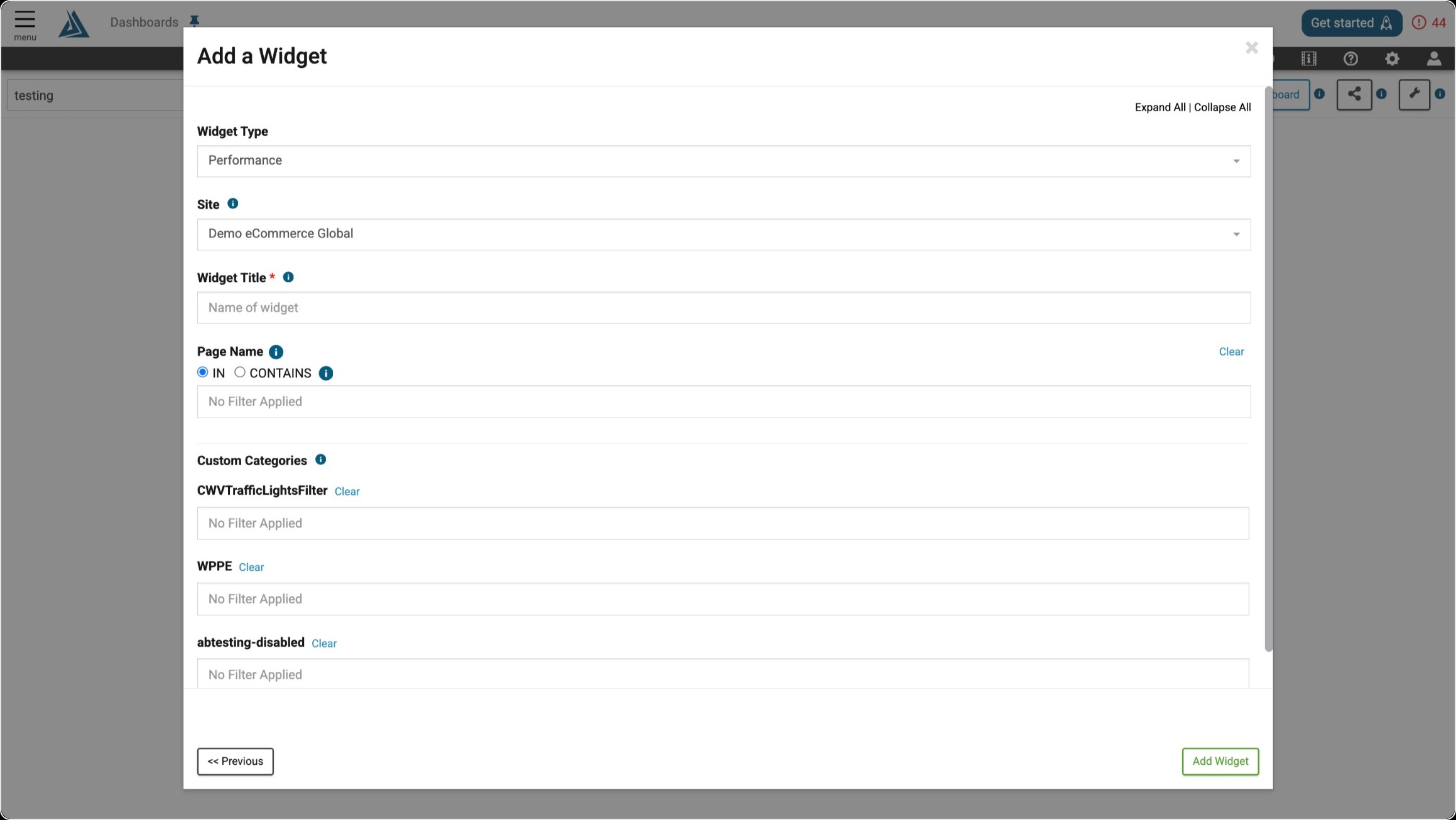
To configure this widget, give it a title and select the proper site.