Overview
The Environment widget gives you a holistic view of your Tag Governance data in real time.
The look-back period for the graphs is set according to the Dashboard Time Period.
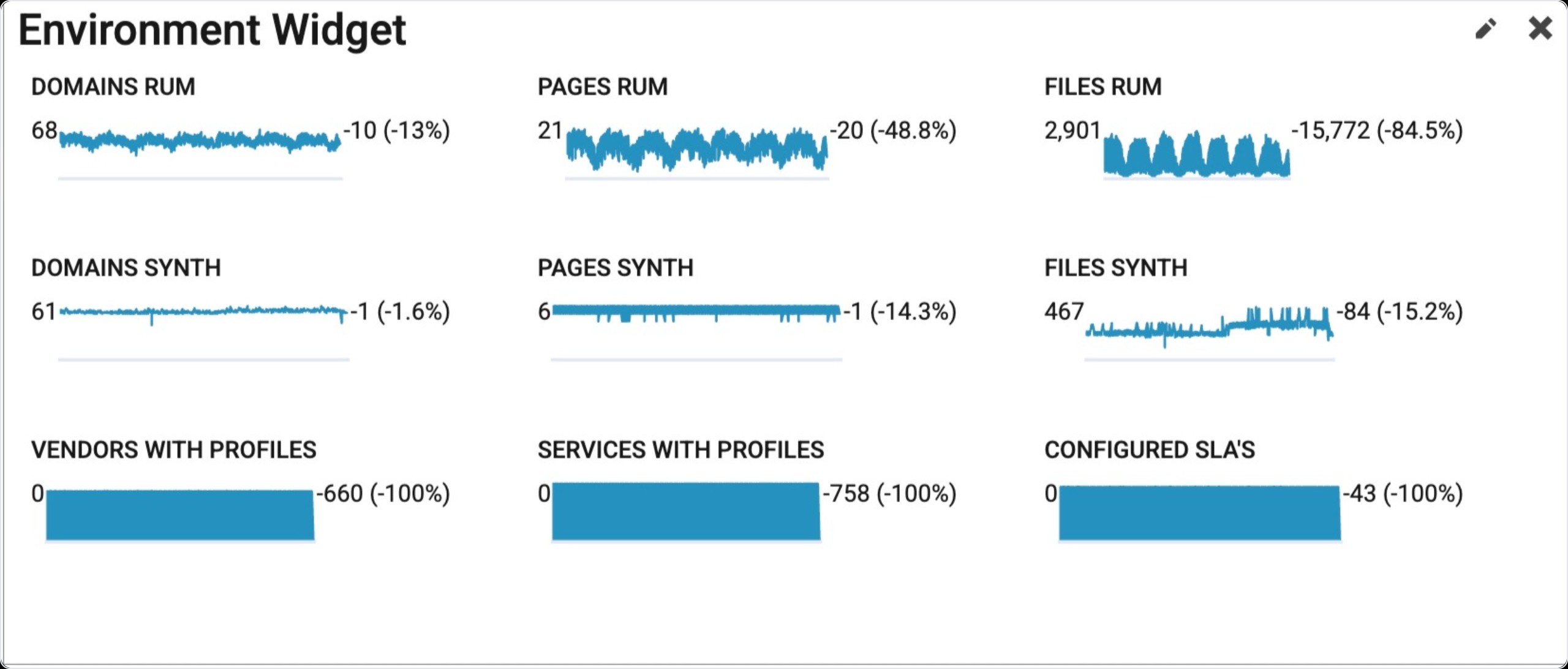
Each item in the widget shows a spark line graph with the starting number to the left, and the delta and percent change to the right.
|
Domains RUM - The number of distinct domains observed loading on the site with real user data. Pages RUM - The number of distinct pages observed with real user data. Files RUM - The number of distinct file names observed loading on the site with real user data. Domains Synth - The number of distinct domains observed loading on the site with synthetic data. Pages Synth - The number of distinct pages measured with synthetic data. Files Synth - The number of distinct file names observed loading on the site with real user data. Vendors with Profiles - The number of vendors on the site that have profiles in Blue Triangle. Services with Profiles - The number of services on the site that have profiles in Blue Triangle. Configured SLA's - The number of SLA's for the site configured for monitoring in Blue Triangle. |
Find Widget
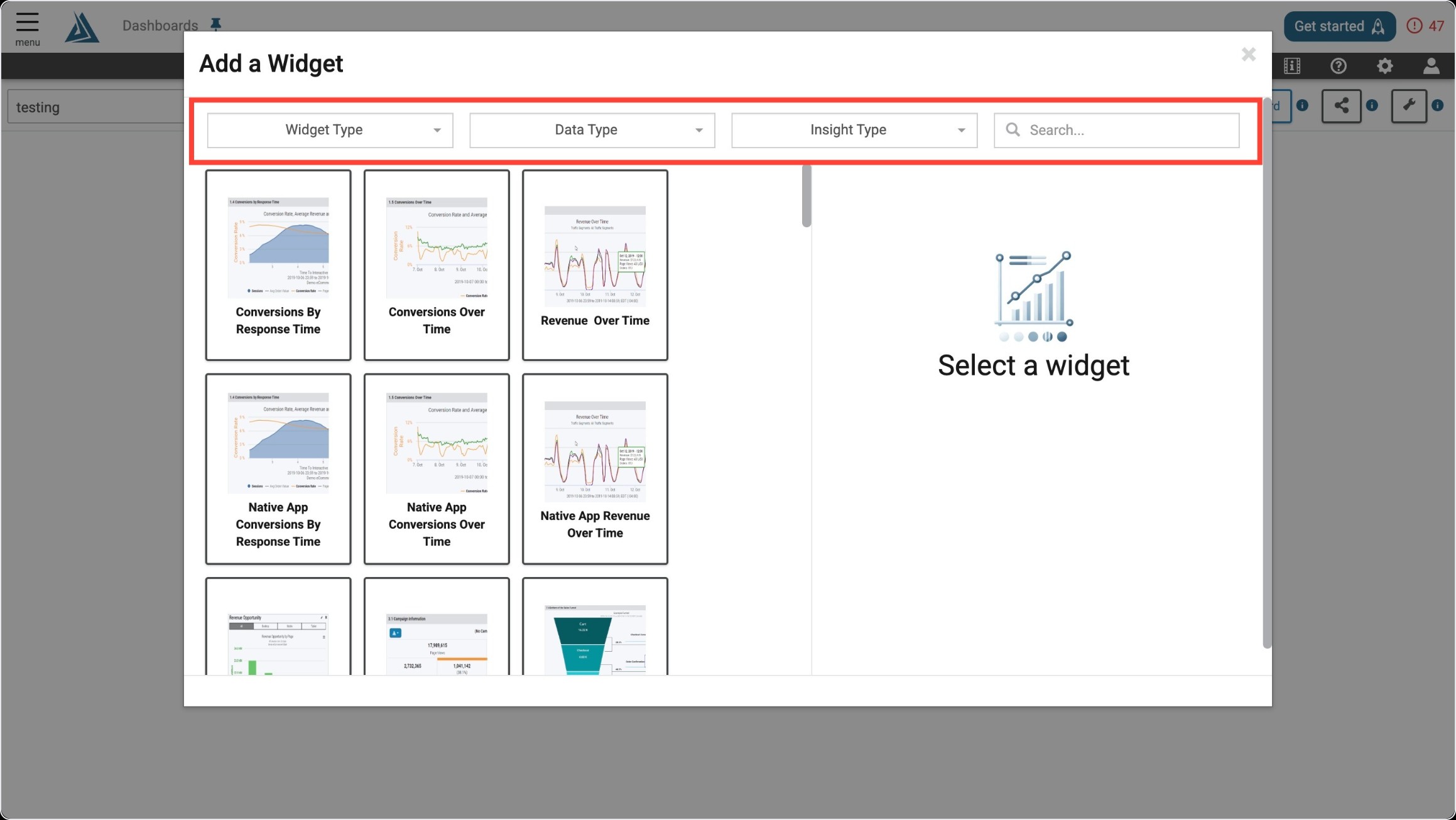
Once you enter the Add a Widget menu, you will see a variety of filter options on top. One way to find the Environment Widget is to use the filter options listed below.
|
Filter Title |
Filter Option |
|---|---|
|
Widget Type |
Trends |
|
Data Type |
Real User or Synthetic |
|
Insight Type |
Governance/Compliance |
Another way to find the Environment Widget is to use the search bar at the top right of the menu.
Widget Configuration
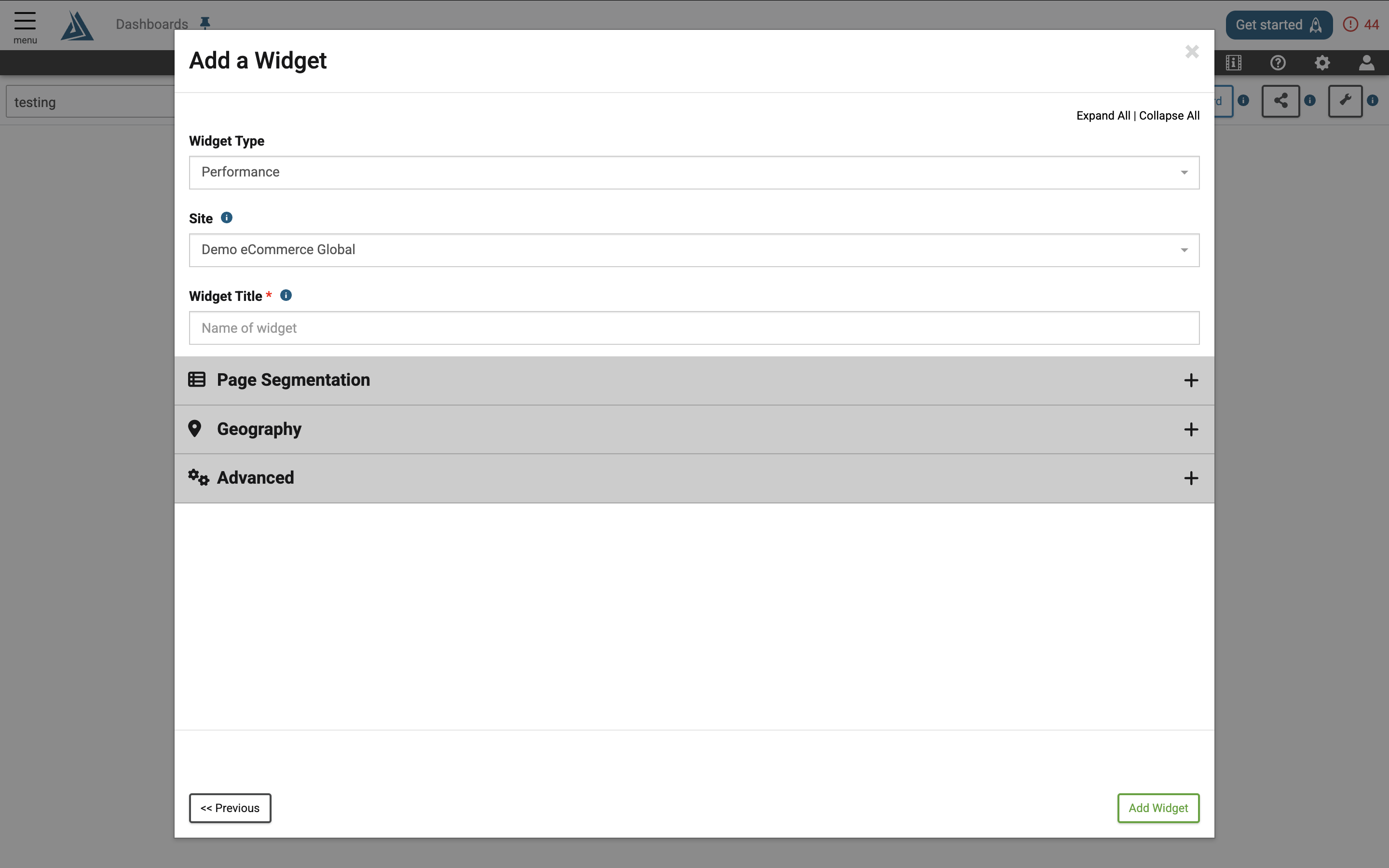
To configure this widget, fill out all required sections and apply any filtering you need.