Overview
The Site Availability Widget shows you a trend of errors and percent availability. This is the same widget/graph you'll see on the Synthetic Performance Detail page and the Synthetic Site Health dashboard.
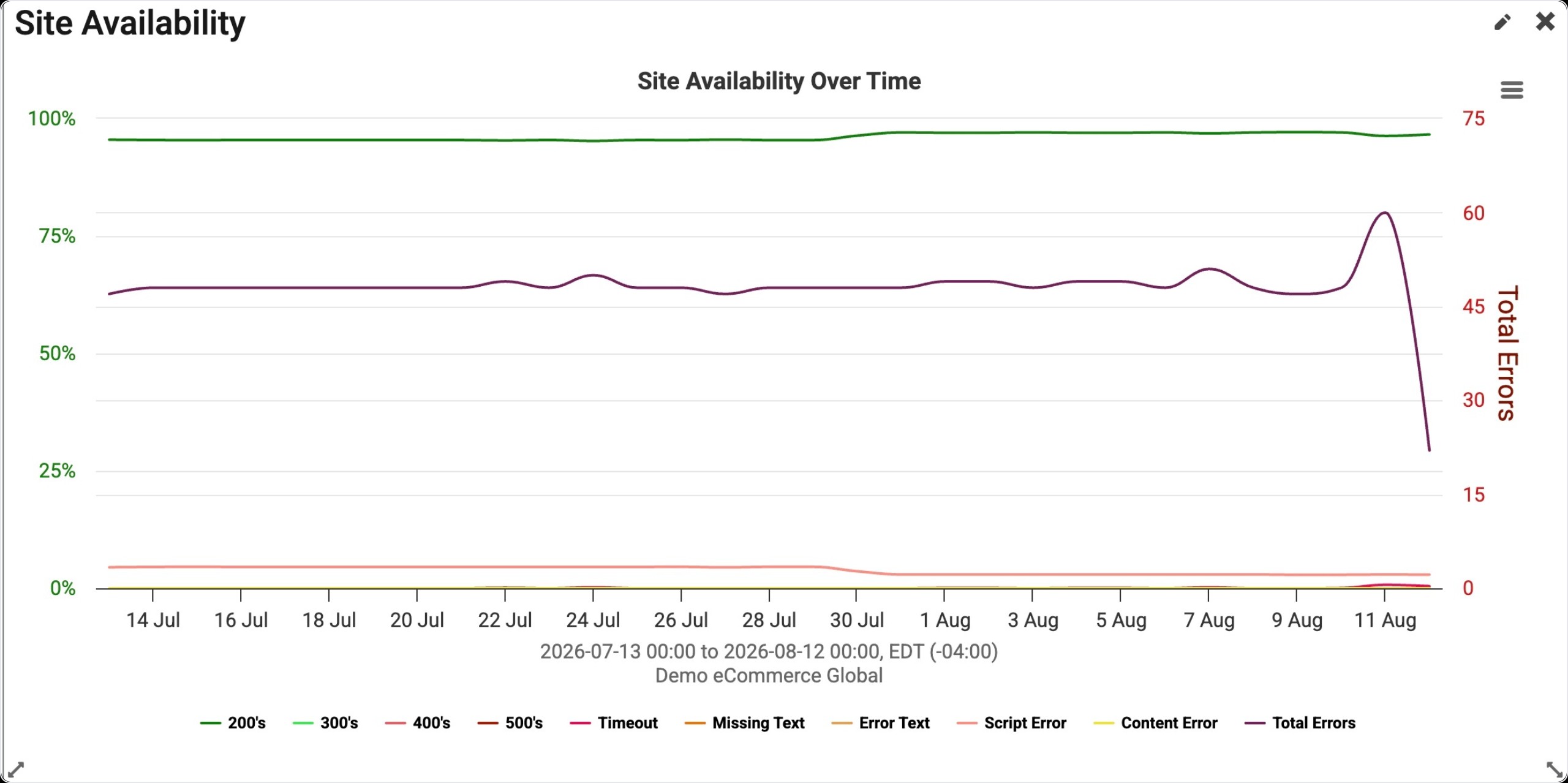
You can hover your mouse over the graph to get a tool-tip reading of the data at that time. The graph has a line for each error category:
-
HTTP 200's
-
HTTP 400's
-
HTTP 500's
-
Timeout
-
Missing Text
-
Error Text
-
Script Error
-
Content Error
-
Total Errors
Timeouts, Missing and Error Text, Content and Script Errors are all custom errors in Blue Triangle.
You can hide or show any of the lines in the graph by clicking the legend items.
|
Missing Text: Occurs when text configured in the synthetic monitor for "Page Text Verification > Verify Text" is not on the page. Error Text: Occurs when text configured in the synthetic monitor for "Page Text Verification > Error Text" is on the page. Script Errors: include all errors for selenium commands in the synthetic scripts - it could be the open command, assertTextPresent, click or any other. Content Errors: Occur when the synthetic monitor is configured to count errors in the content on the page as a full page error. For example, if a synthetic monitor is configured this way and it runs a test - if any request or object call on the page responds with an HTTP 4xx or 5xx response code, a content error is logged. |
Find Widget
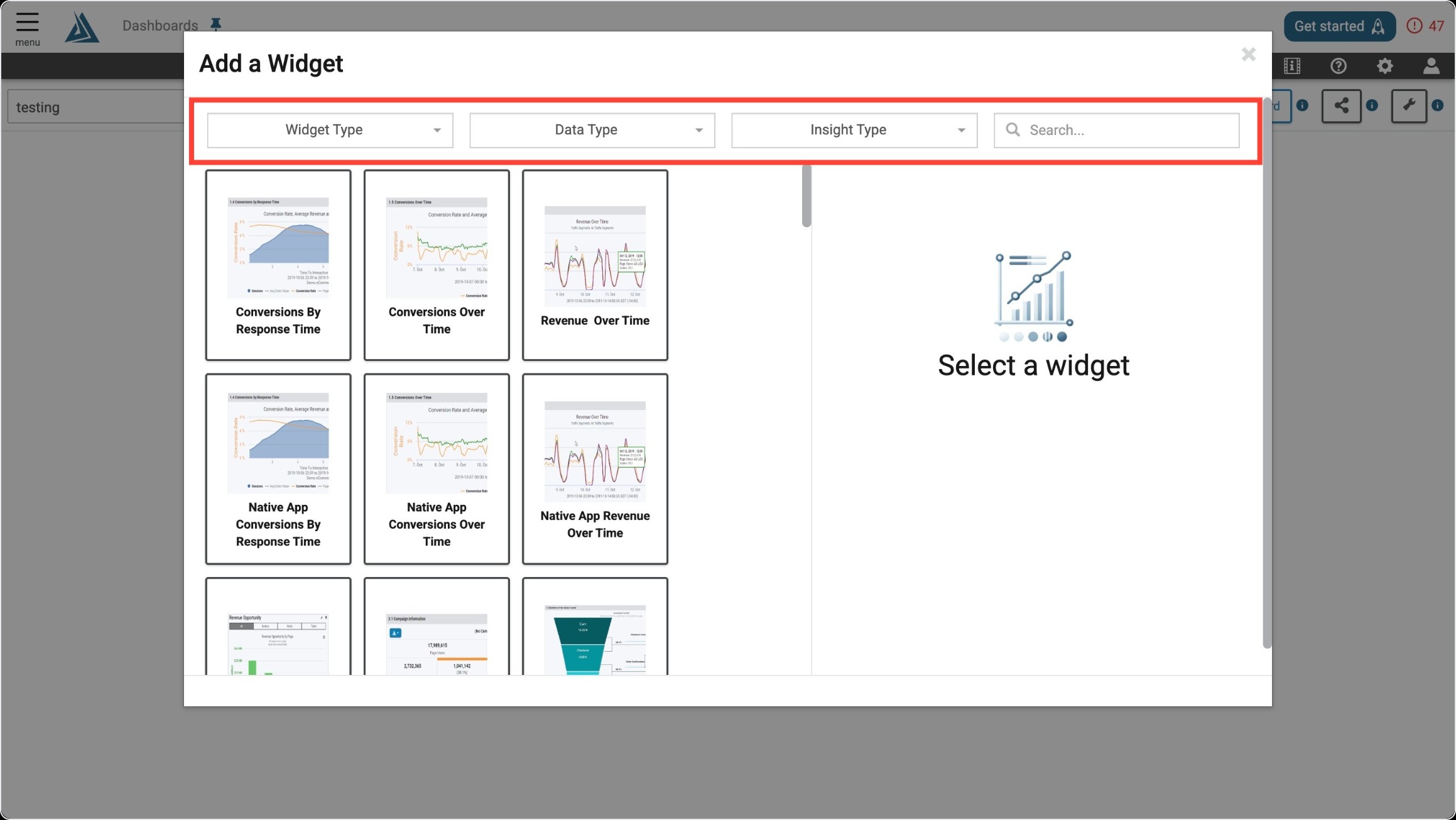
Once you enter the Add a Widget menu, you will see a variety of filter options on top. One way to find the Site Availability Widget is to use the filter options listed below.
|
Filter Title |
Filter Option |
|---|---|
|
Widget Type |
Trends |
|
Data Type |
Synthetic |
|
Insight Type |
Performance |
Another way to find the Site Availability Widget is to use the search bar at the top right of the menu.
Widget Configuration
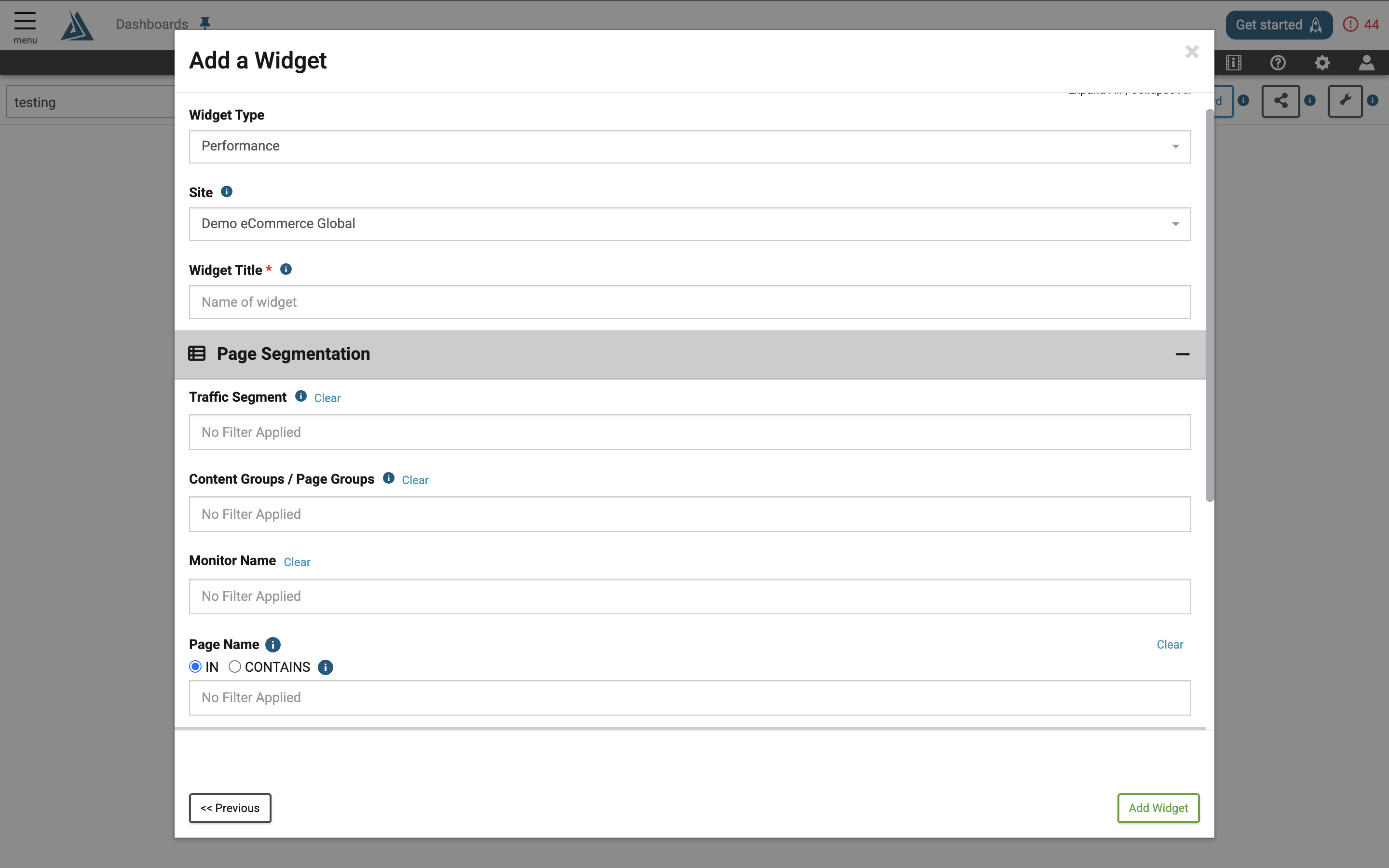
To configure this widget, choose your site and give the widget a name.