Overview
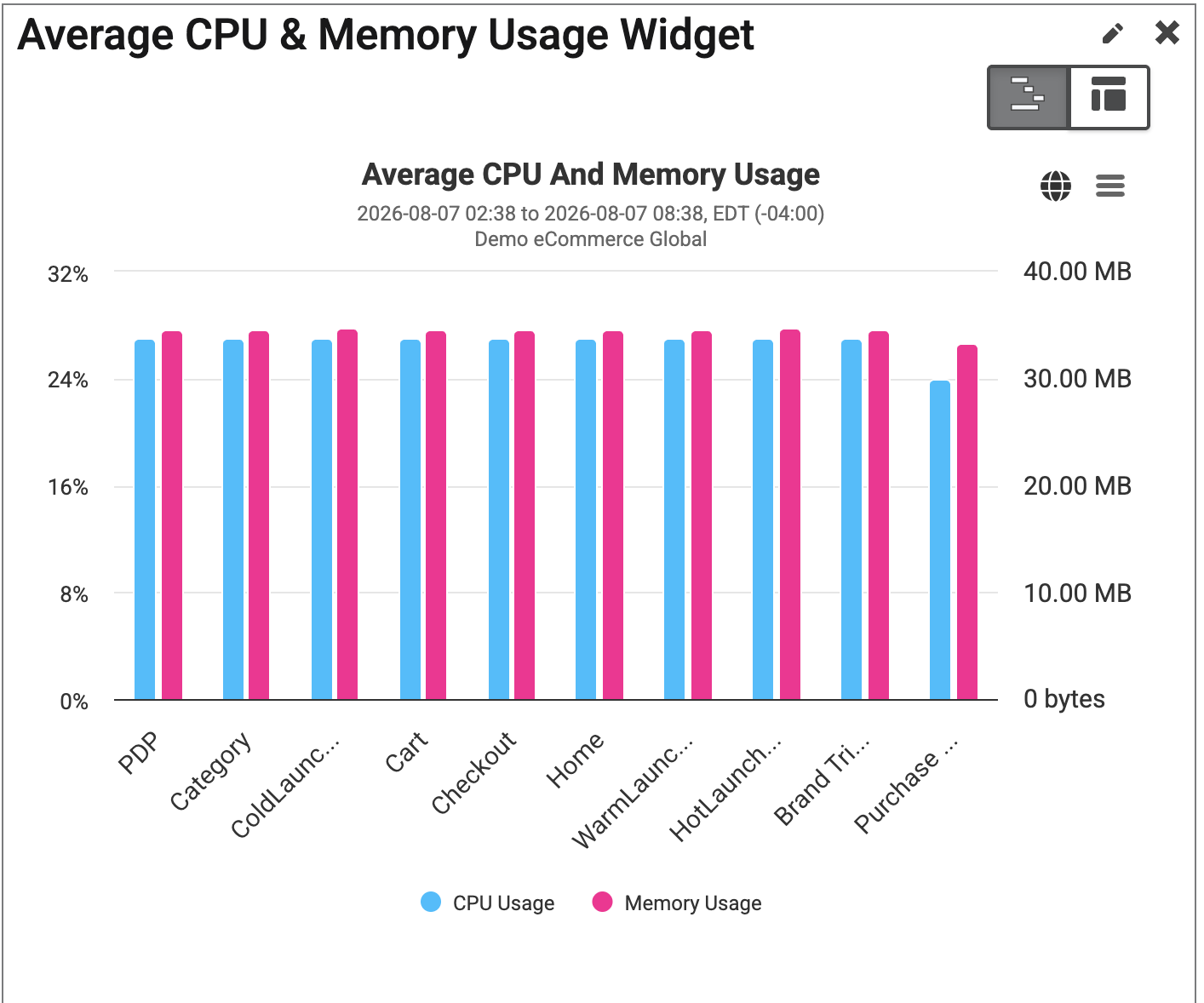
The Average CPU & Memory Usage widget, as the title indicates, displays the average CPU and memory usage for a site, by page.
Navigation from this widget will take the user to the Native App Performance Detail page.
|
This widget is available to be added to custom dashboards. For more information on custom dashboards, please visit How to Create Custom Dashboards, andCustom Dashboard Widgets. |
What is CPU Usage?
CPU Usage is the amount of CPU being used by the code during the Timer interval. This is measured in the form of 0-100%. Against each timer, 3 CPU measurements are being sent, minimum, maximum and average.
The amount of CPU usage could go beyond 100% depending on how many CPU cores are being used. As, each core could be used up to it's 100% capacity, each core contributed 100% to the total CPU usage. So, to bound that total CPU usage value in the range of 0 - 100%, we divided the total CPU usage by the number of cores the device has.
0% to 100% format = Total current CPU usage on Instruments / Number of CPU cores.
For example: if you have 4 CPU cores and your current usage is 300%, the BTT CPU usage reported will be 75%. (300% / 4 = 75%)
What is Memory Usage?
Memory usage is the amount of memory used by the code during the Timer interval. It refers to the amount memory (RAM) that is currently being used by application to store and manage data. Memory usage is measured in number of bytes. Three memory measurements are being sent against each timer: minimum, maximum and average.
Find Widget
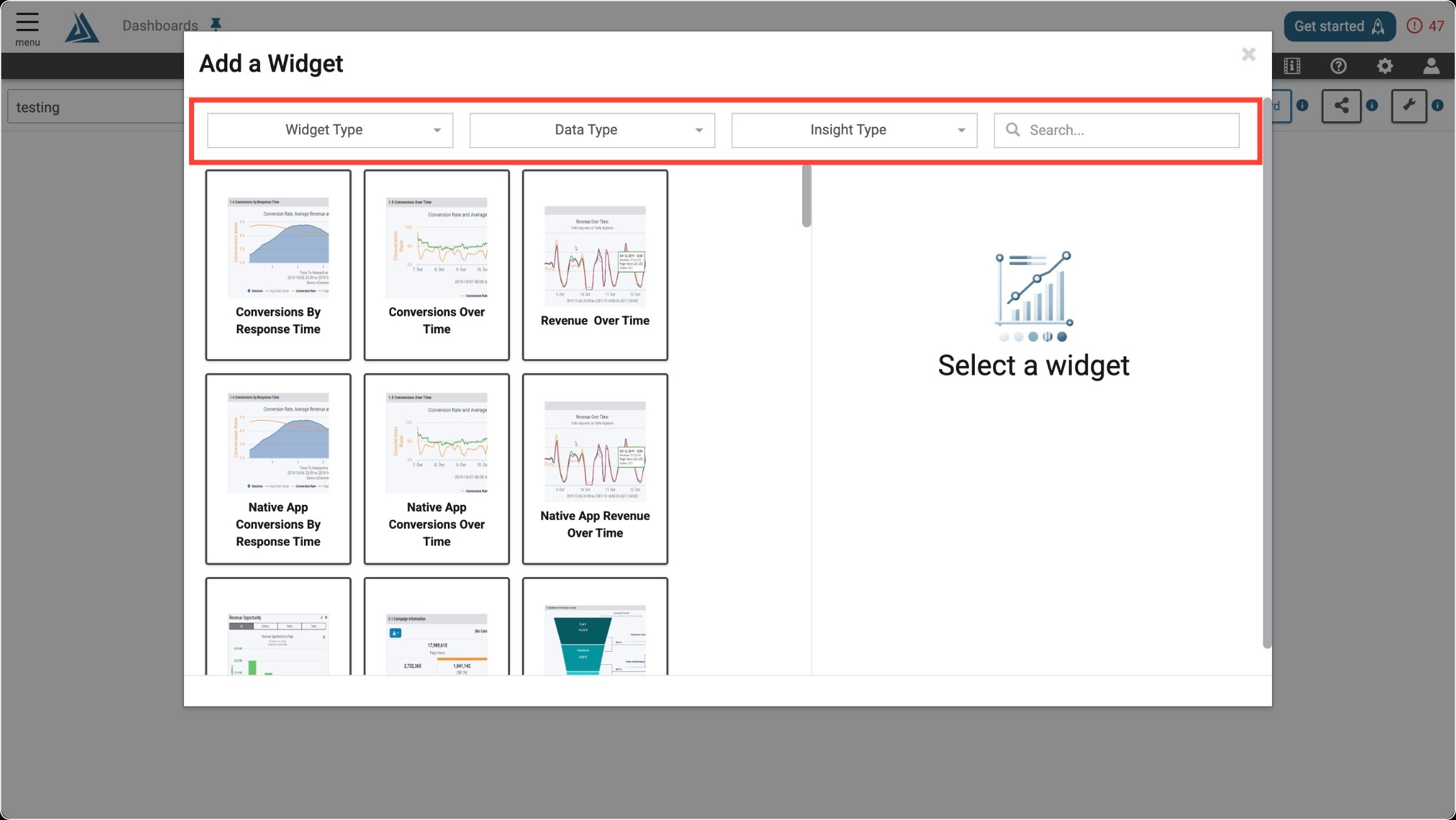
Once you enter the Add a Widget menu, you will see a variety of filter options on top. One way to find the Average CPU & Memory Usage Widget is to use the filter options listed below.
|
Filter Title |
Filter Option |
|---|---|
|
Widget Type |
Summaries |
|
Data Type |
Real User |
|
Insight Type |
Performance |
Another way to find the Average CPU & Memory Widget is to use the search bar at the top right of the menu.
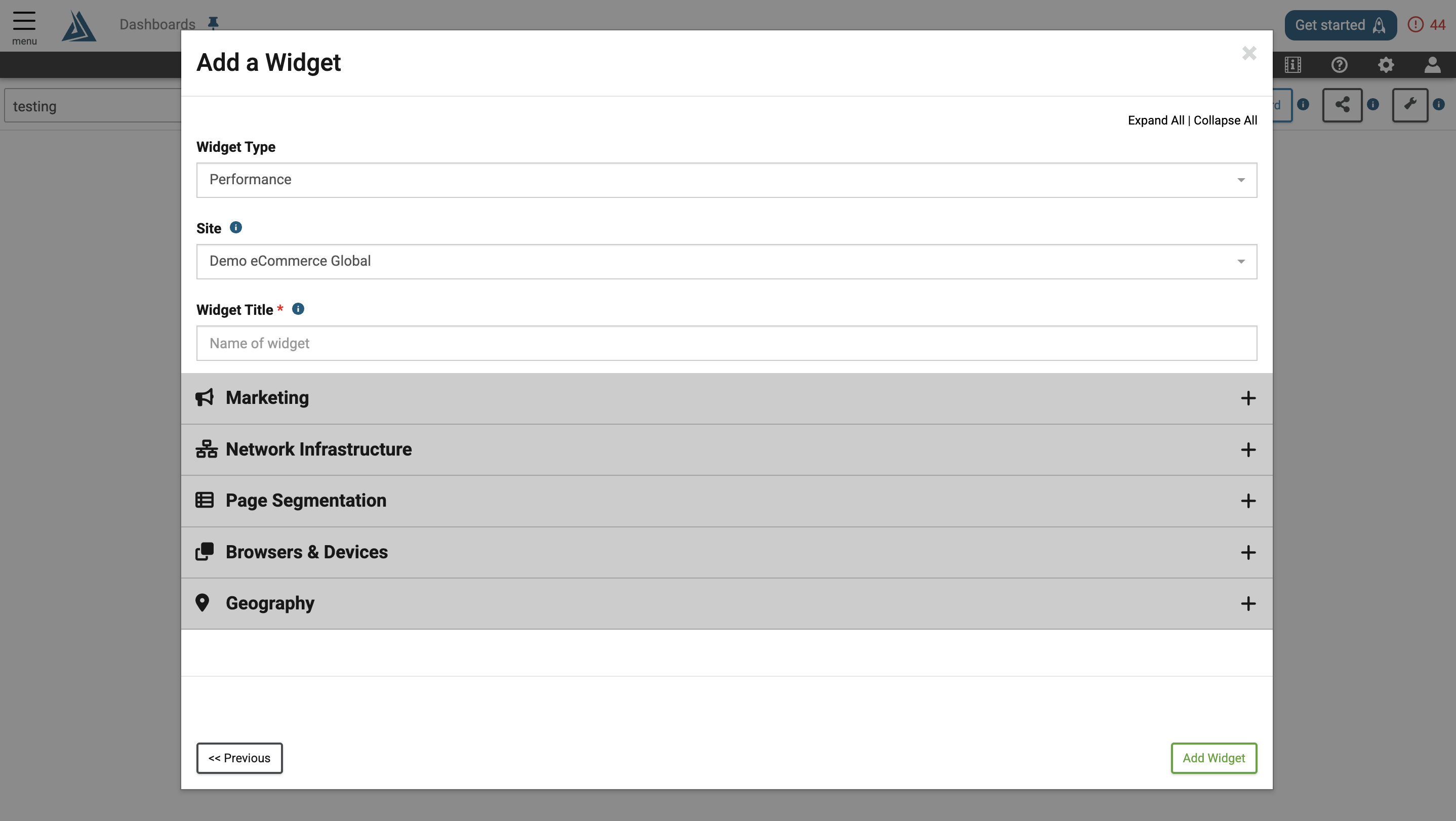
Widget Configuration
The only required configuration for this widget is a title. The General Marketing, Network Infrastructure, Page Segmentation, Browsers & Devices, and Geography filters are also available in the configuration window, but can be applied after the widget is created as well.