

Video / Walkthrough
Overview
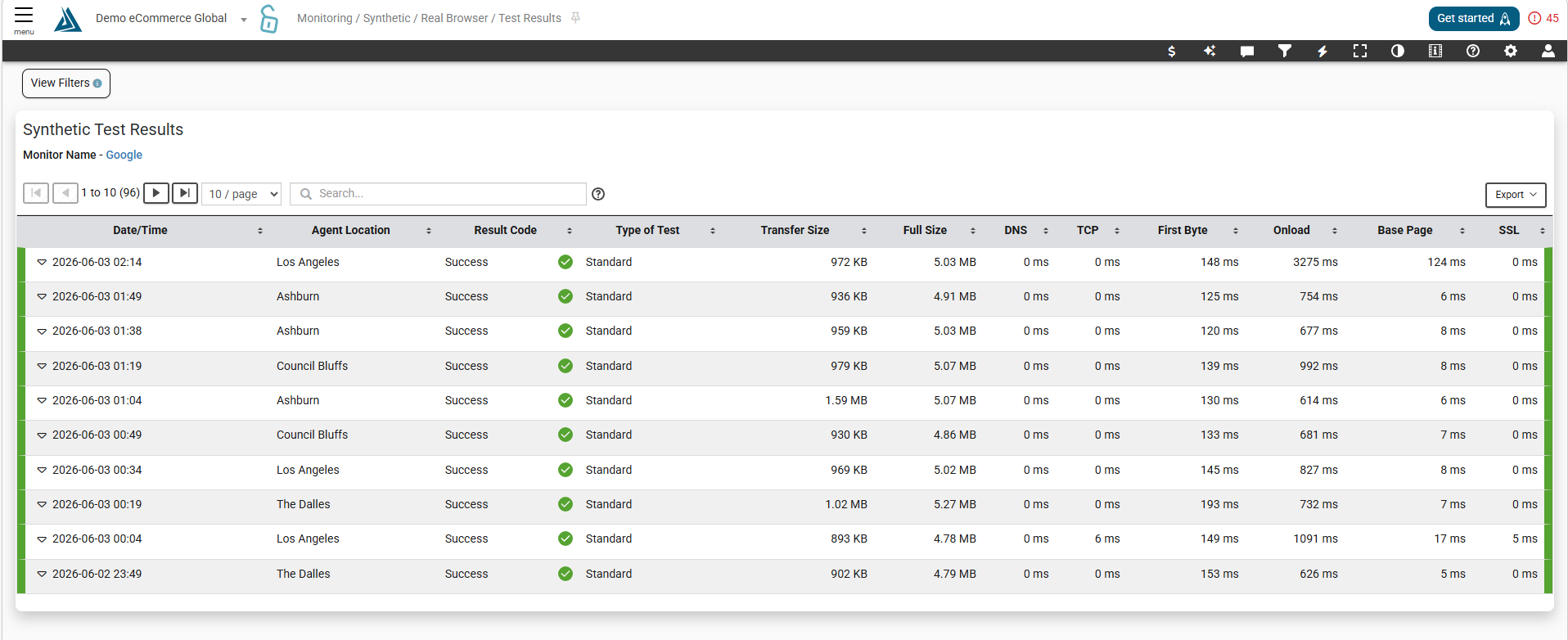
You can use the Synthetic Test Results Page to view the results of all the tests you have run on synthetic monitors.
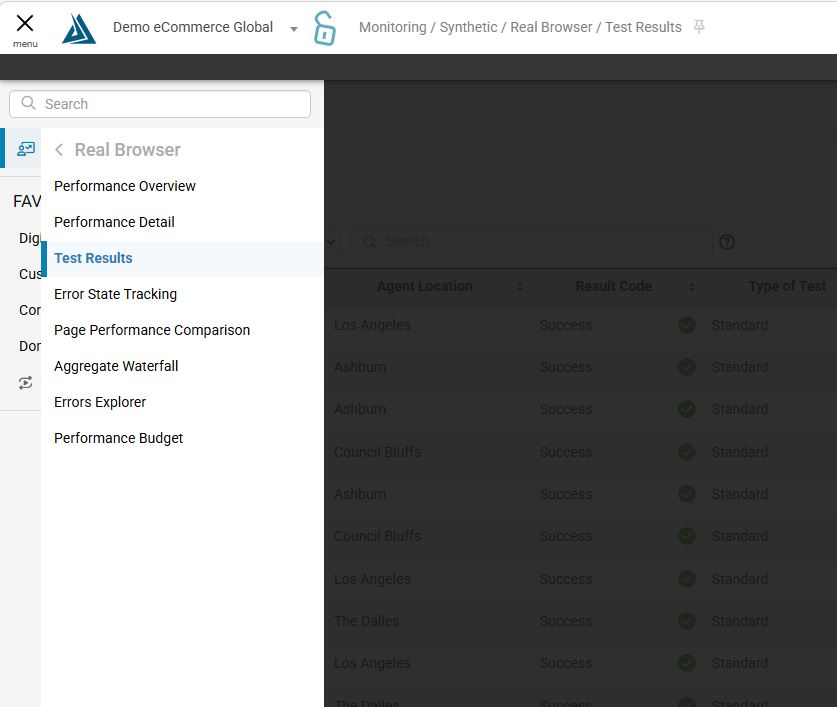
How to Find the Synthetic Test Results Page
To find this page go to the main navigation on the left of the BT portal and go to Monitoring->Synthetic->Real Browser → Test Results
Test Results Table
At the top of the table, you can use the search bar to find past test results.
Click the down arrow to the left of individual test result to see an expanded view of the data.
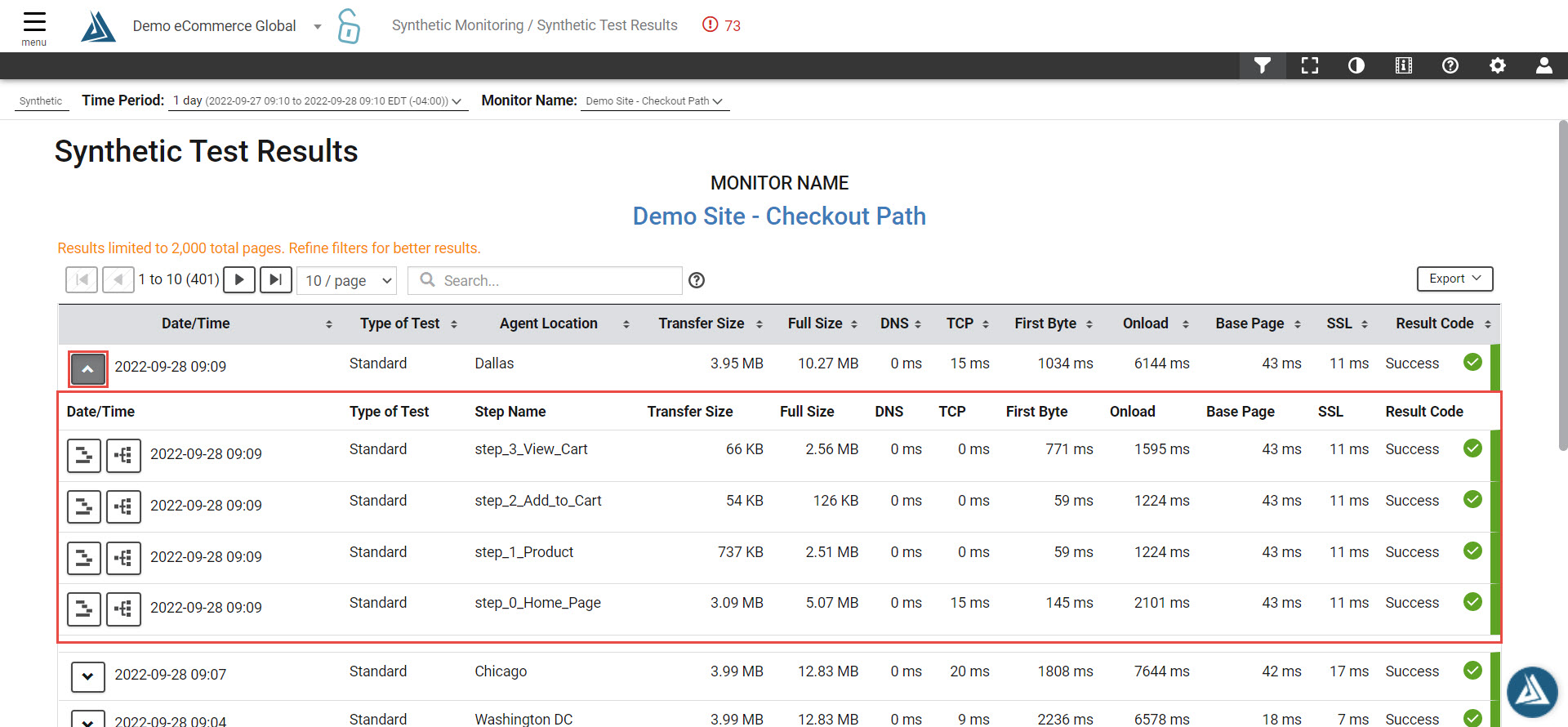
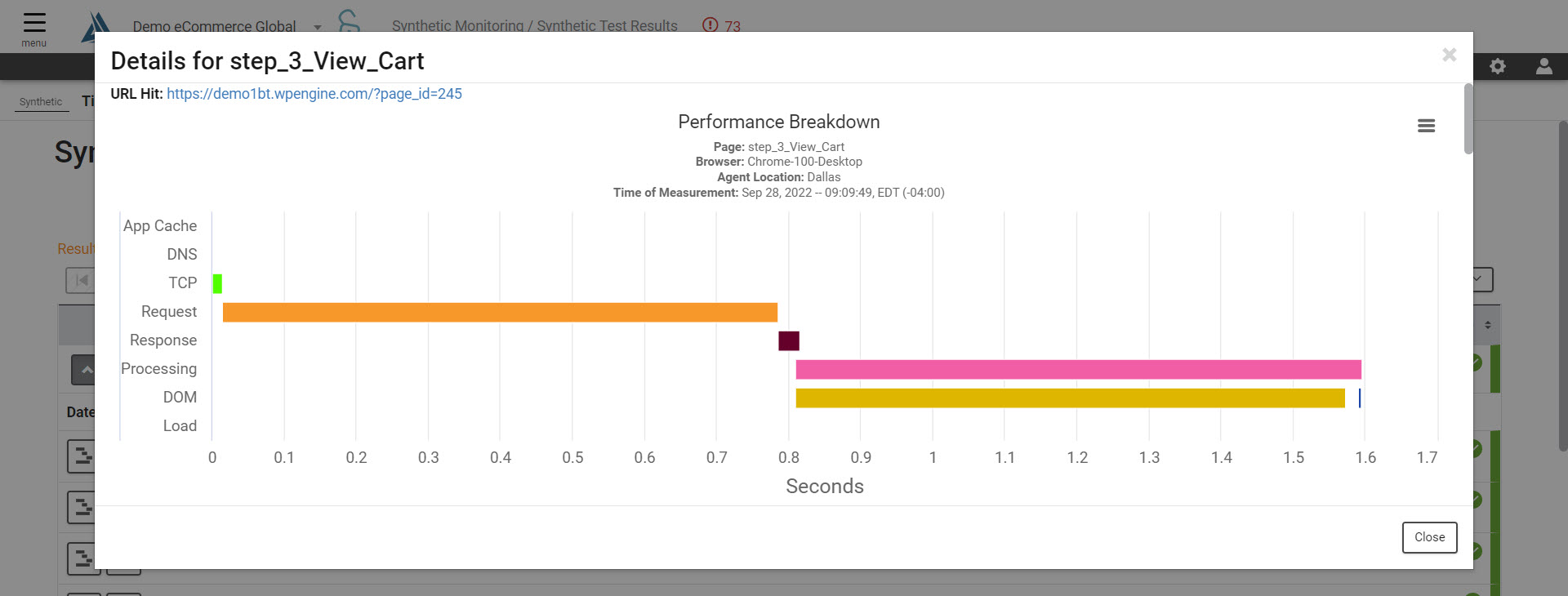
Click the buttons next to the expanded data for a different view of the data. The button on the left will give a Performance Breakdown waterfall, while the button on the right will load a hierarchy chart in another page.

Performance Breakdown Waterfall
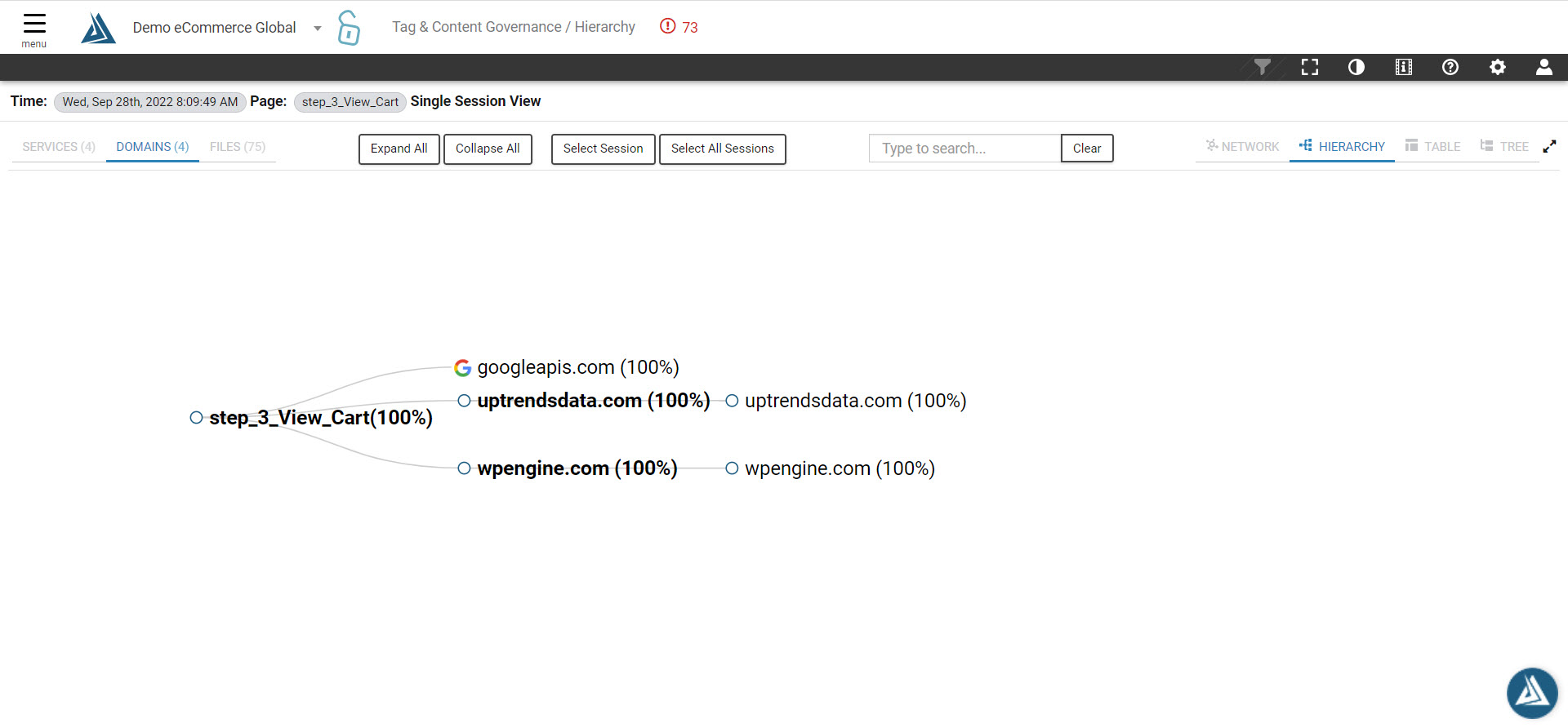
Hierarchy Chart
Filters
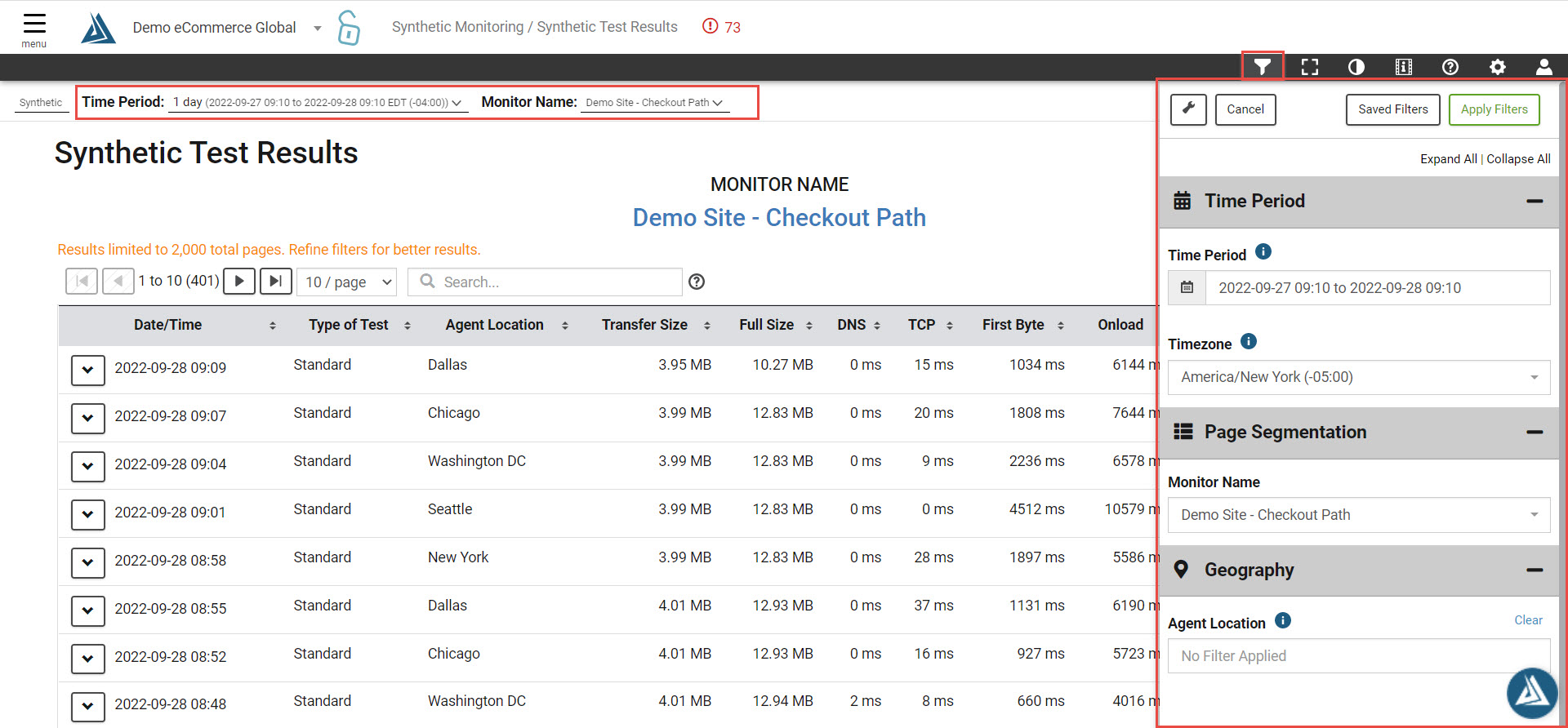
You can select the filter tool in the top right of the page to see the filter options for this page, as well as quick filter with the filter bar at the top of the page.
Click the Export button in the top right to see the export options and save the data in the table.