

Summary
To record a selenium script, you’ll need a Selenium IDE. We recommend using the Katalon Selenium IDE for Google Chrome.
In this guide, learn:
-
How to install the Katalon extension for Chrome.
Steps
If you don’t have Chrome, you can install the latest version here: https://www.google.com/chrome/
-
With chrome open, put the following URL in the search bar - https://chrome.google.com/webstore/detail/katalon-recorder-selenium/ljdobmomdgdljniojadhoplhkpialdid
-
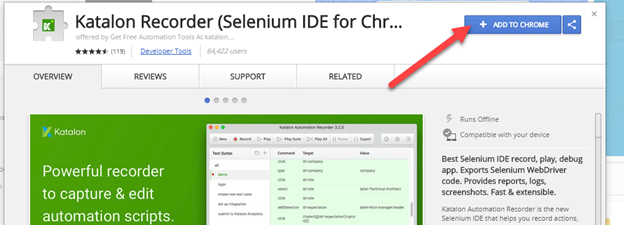
You should now be in the chrome web store. Click Add to Chrome. If you get another prompt, click to proceed with adding the extension.
-
After a moment you will be redirected to https://www.katalon.com/. You should see the Katalon icon in the top right of the browser window where you may have other extensions.
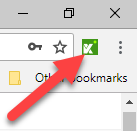
This means you’ve successfully installed the Katalon extension.
You’re now ready to start scripting with selenium and begin running multi-page scripts in the Blue Triangle portal.