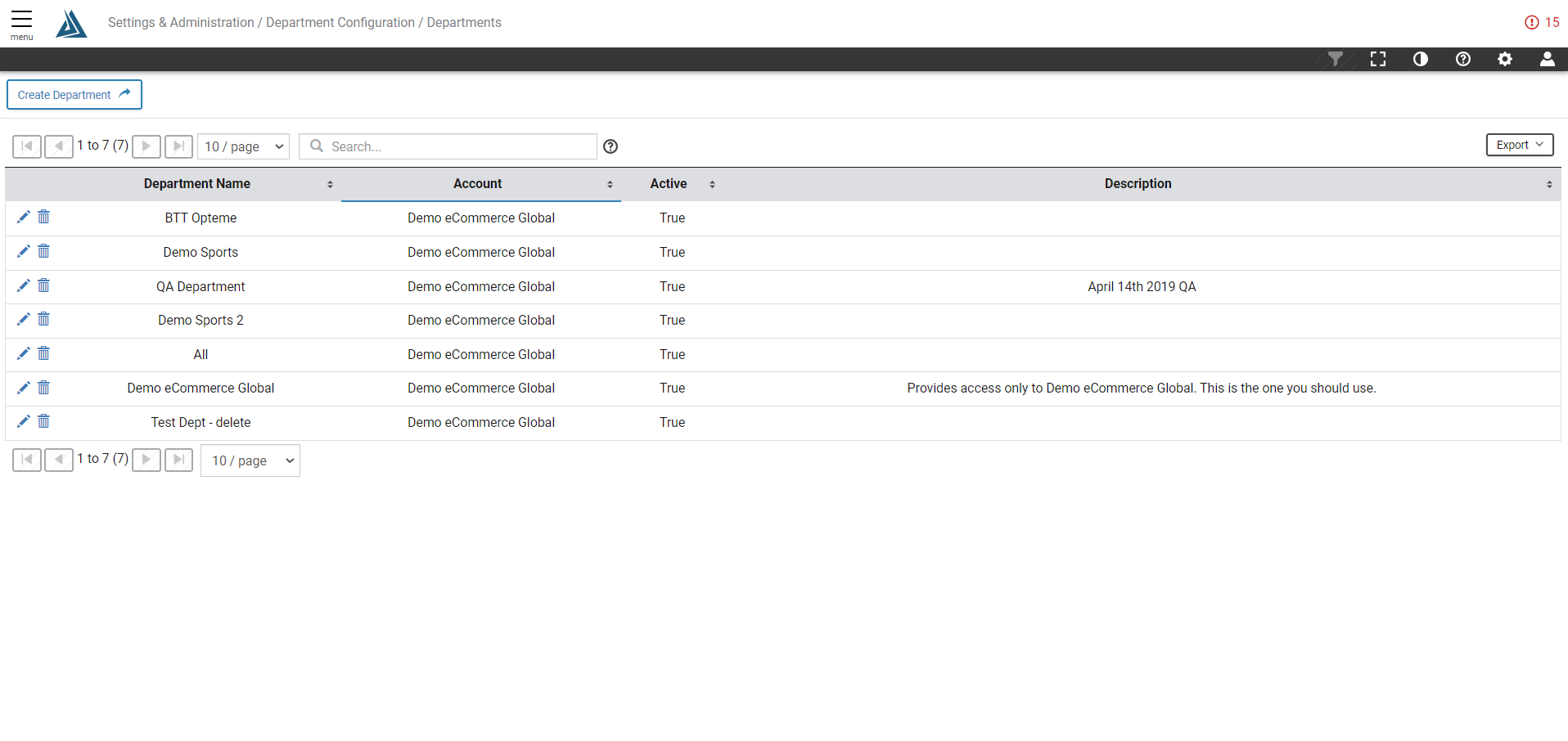
Overview
Departments can contain one or more sites for reporting and access control. Group Sites under your account by department or team responsible for those sites. Users are associated with one or more departments when created.
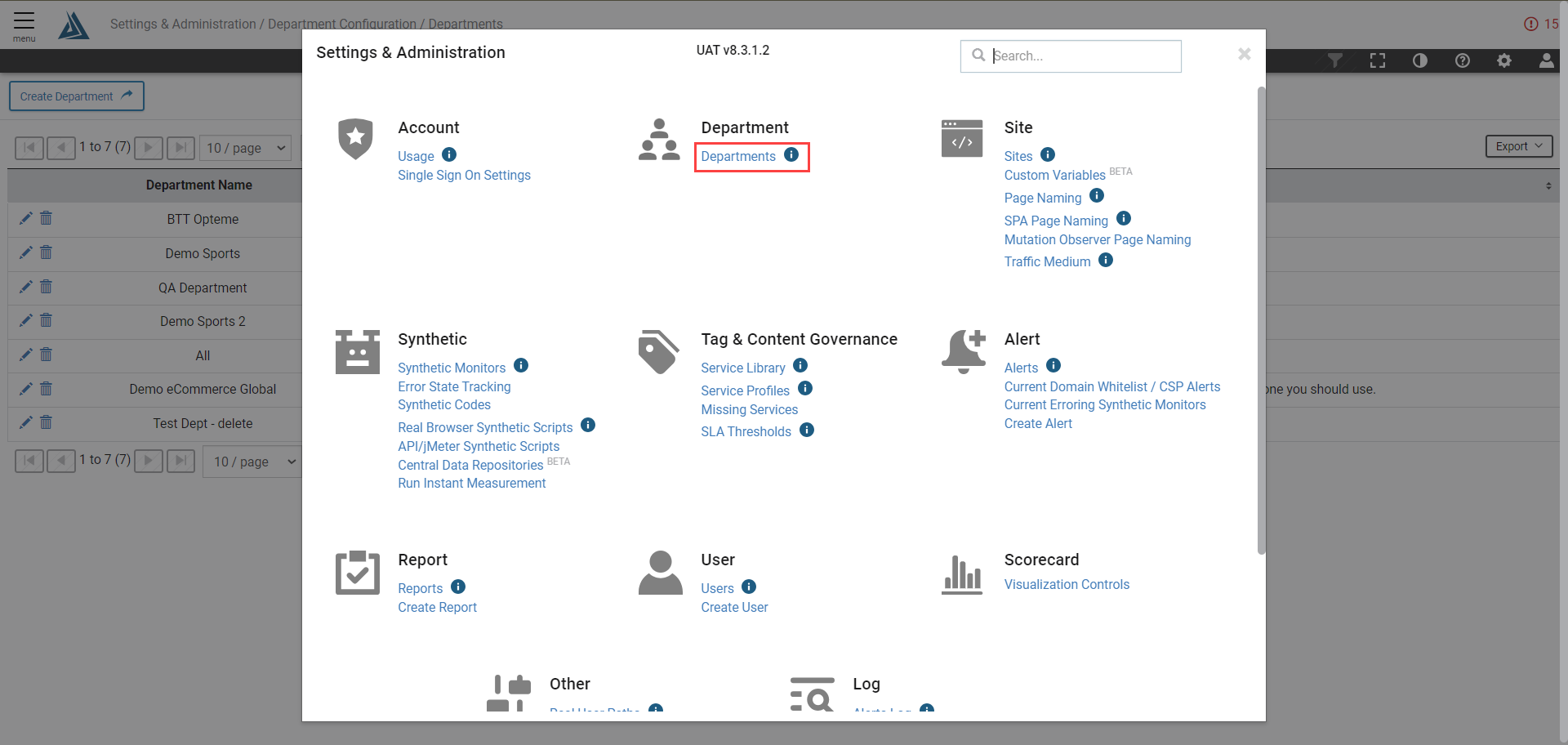
How to Create a Department
To create a department, first access the Departments page in the Settings & Administration menu.
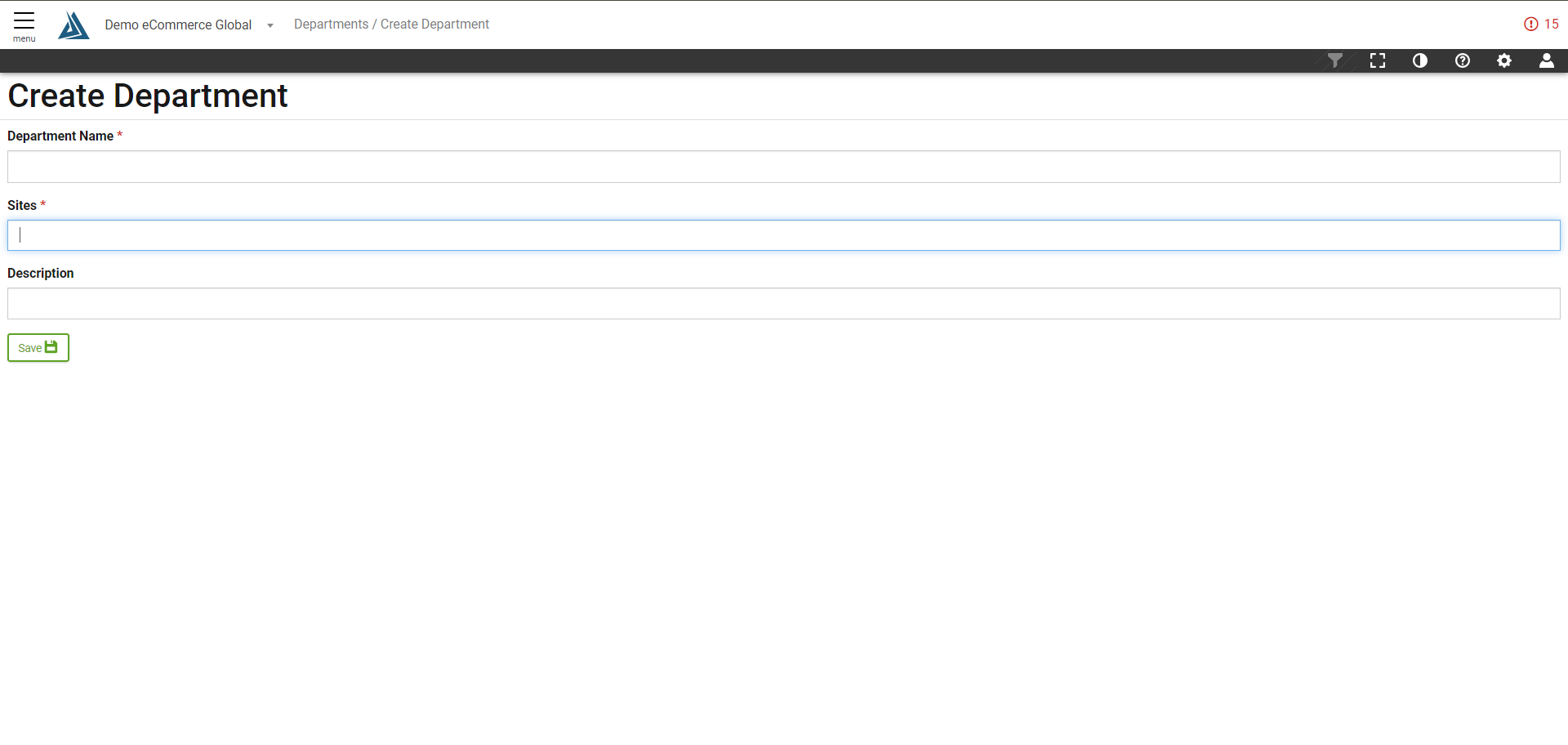
Click the Create Department button at the top of the page.

Name the department and choose which sites the department will appear under. Add a description to the department if needed. Click save once finished.
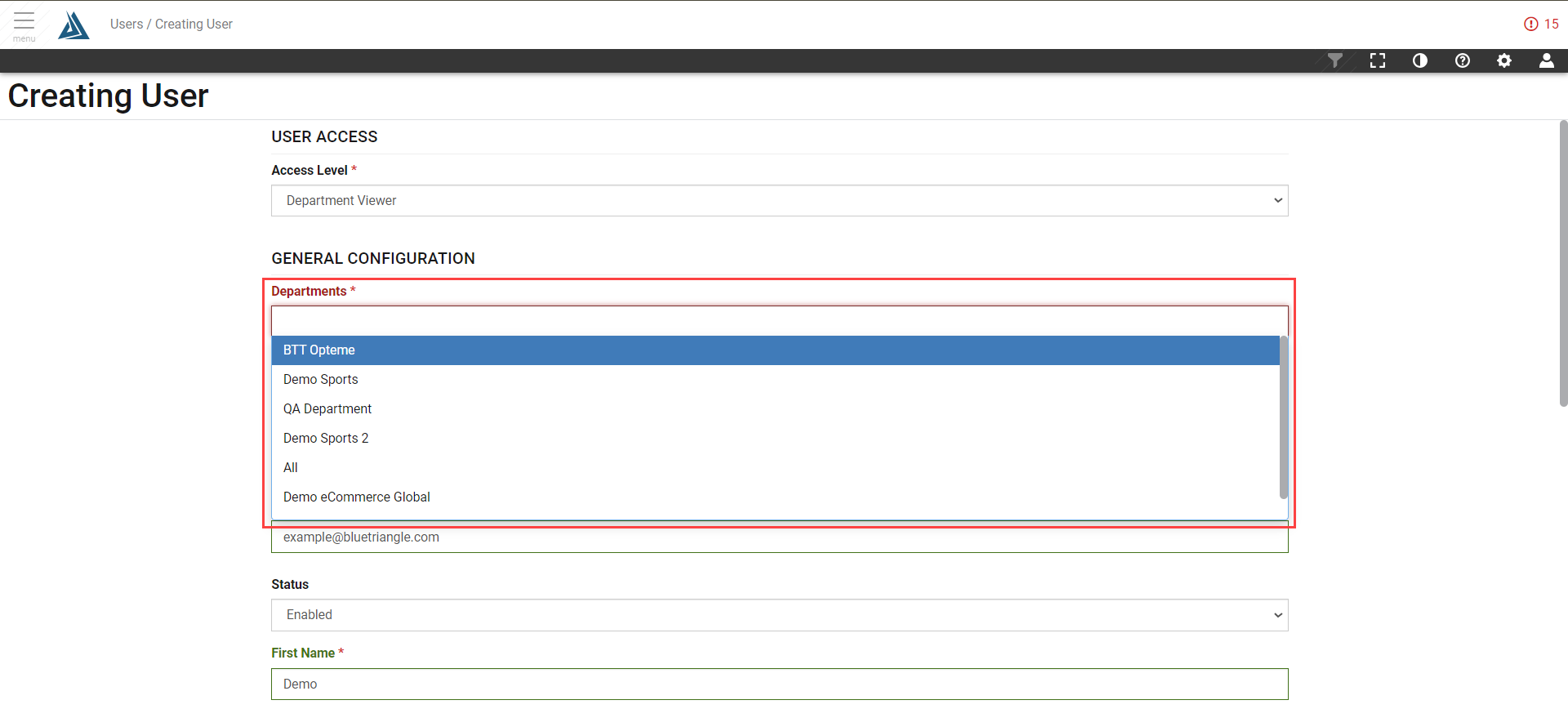
Now when creating a user, the user can be sorted into the configured departments.