

Summary
There's a variety of ways to access your data from Blue Triangle and in this article we'll walk through each one.
API for Raw and Aggregate Data
The Blue Triangle API can be used to access all of your real user and synthetic data, including both raw and aggregate data. In addition to standard data queries, with the API you can create and manage Site Event Markers, and access your Content Security Policy (CSP). For more information about using our API, checkout our documentation:
Portable Dashboards
You can use the Blue Triangle dashboards or any report page as an iframe in your own page. The only requirement is the iframe will first prompt for username and password credentials to Blue Triangle before displaying the dashboard or report. For more information about portable dashboards and reports, checkout the documentation:
Export via CSV
Inside of Blue Triangle, virtually anywhere there's a graph there will be a table of the same data. You can switch from the graph to the table by clicking the table icon. This typically looks something like this:

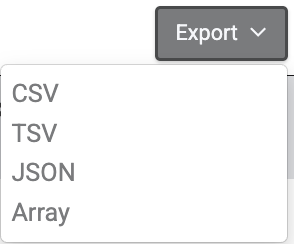
You can export the table to CSV by clicking the Export button in the upper right corner of the table.
Custom Data Delivery
There are two types of custom data delivery options. The first is a push methodology. This would be a custom development project with a 6-9 month window to begin the project. The second is a delivery via Kafka. With either option, we'll work with you to come up with the best solution. Just reach out to your Sales Representative, contact us at support@bluetriangle.com or use our online ticket form and we'll be happy to help.