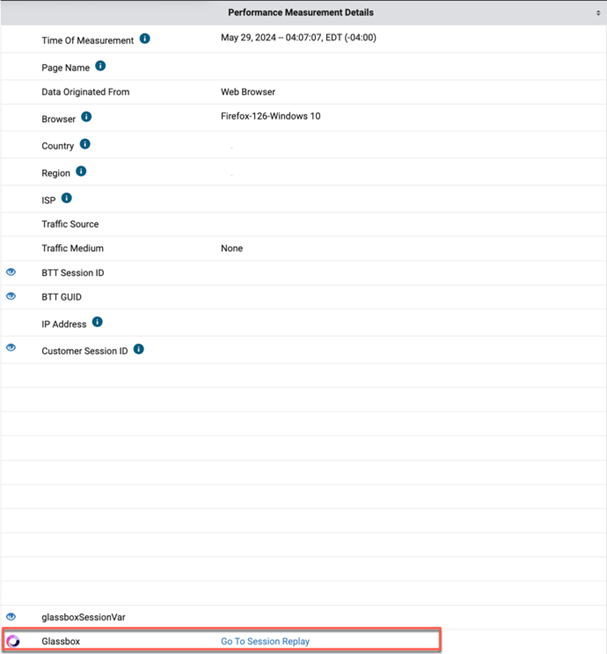
Overview
We have an integration with Glassbox to offer our customers links to session replay through the RUM Performance Detail page. To get started, the integration will need to be configured through the Custom Variables page, found in the Settings & Administration menu. For help with his process, please reach out to your BT representative.
Configuration
You will need to first configure a Custom Variable (found on the Custom Variable page in the Settings & Administration menu) to enable the Glassbox Integration in the Blue Triangle Portal. For help with this process, please reach out to your BT representative.
The Custom Variable can be created using these values:
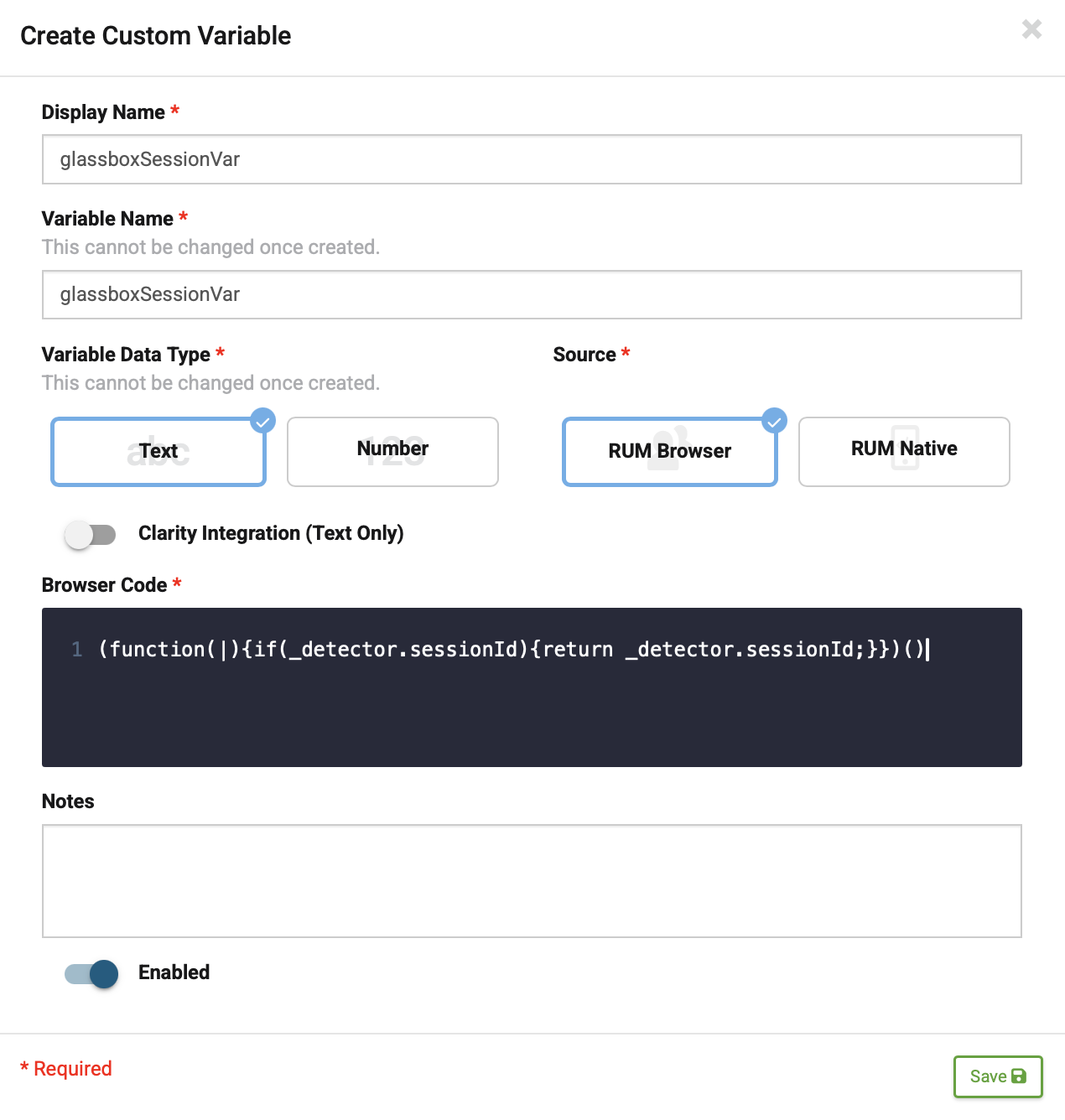
This next step will need to be done by your BT representative. After the Custom Variable has been set up, you will need to fill out a Partner Portal configuration (found in the Settings & Administration menu under Partner Portal Information).
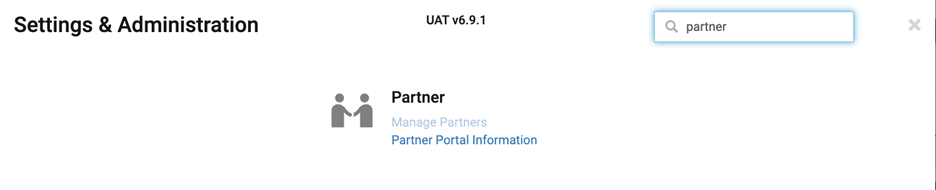
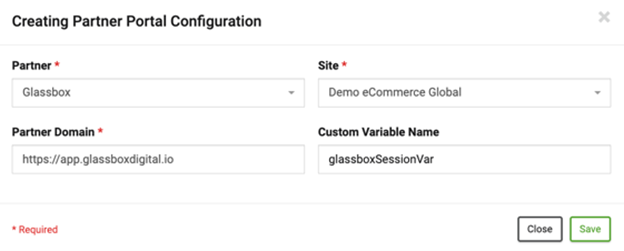
From here, click the 'Create Configuration' button.
-
Partner is 'Glassbox'
-
Site is the customer site
-
Partner Domain is the Glassbox link for that customer
-
The Custom Variable name must match the way it is configured in Site Configure
Locations in the Portal
-
Real User Monitoring
-
RUM Performance Detail: By selecting a point in one of the lower scatterplots, a Glassbox link will be available for that session in the Performance Details below
-
Example:
-