

Overview
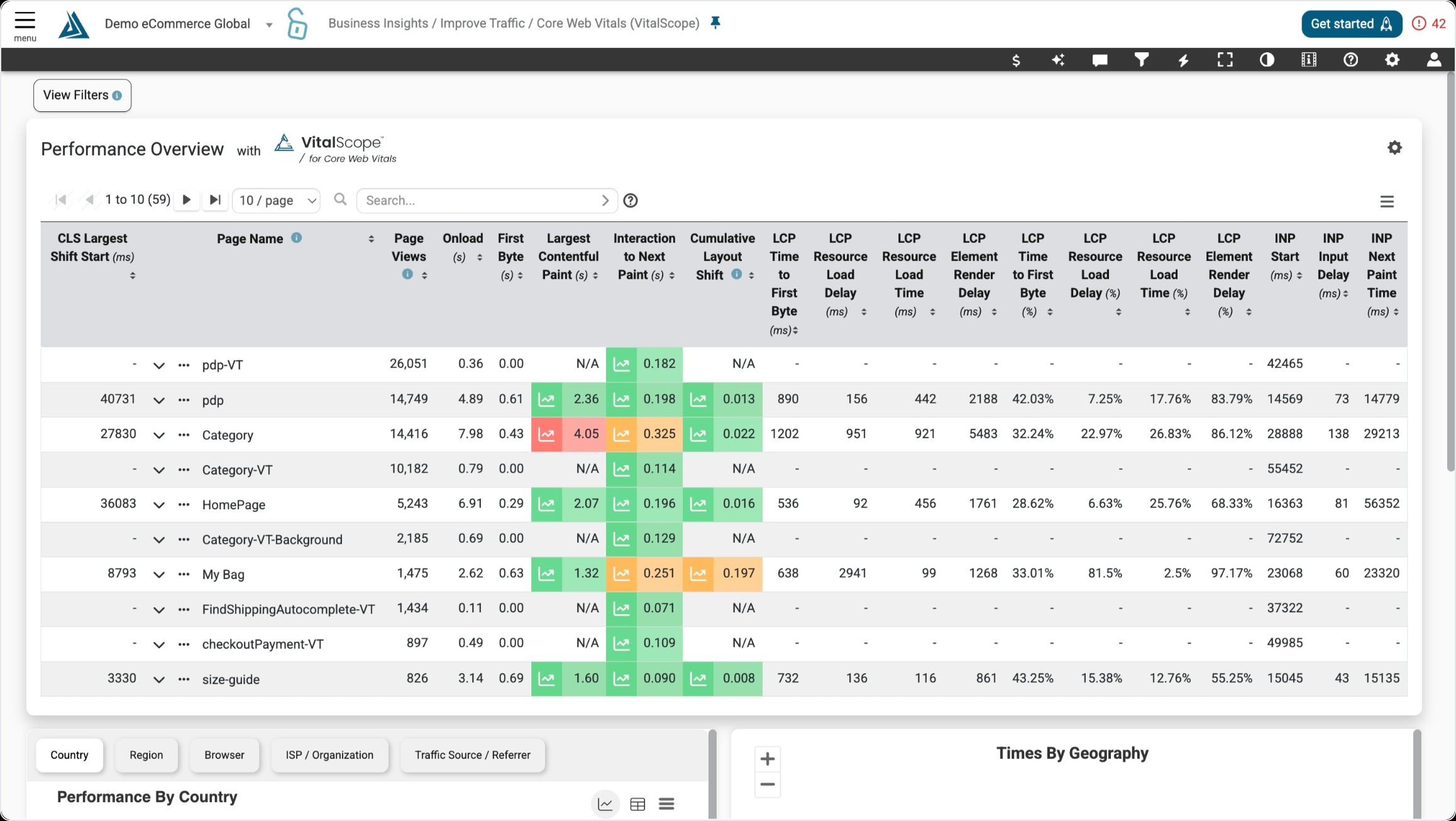
The Performance Overview page has now been enhanced with VitalScope for Core Web Vitals. VitalScope offers insight into the detailed CWV metrics, as well as the components attributing to the CWV, in priority.
VitalScope is aimed to direct the web developer to efficiently identify the CWV metrics and page components that impact the user experience most, and optimize those.
Where to Find Vital Scope
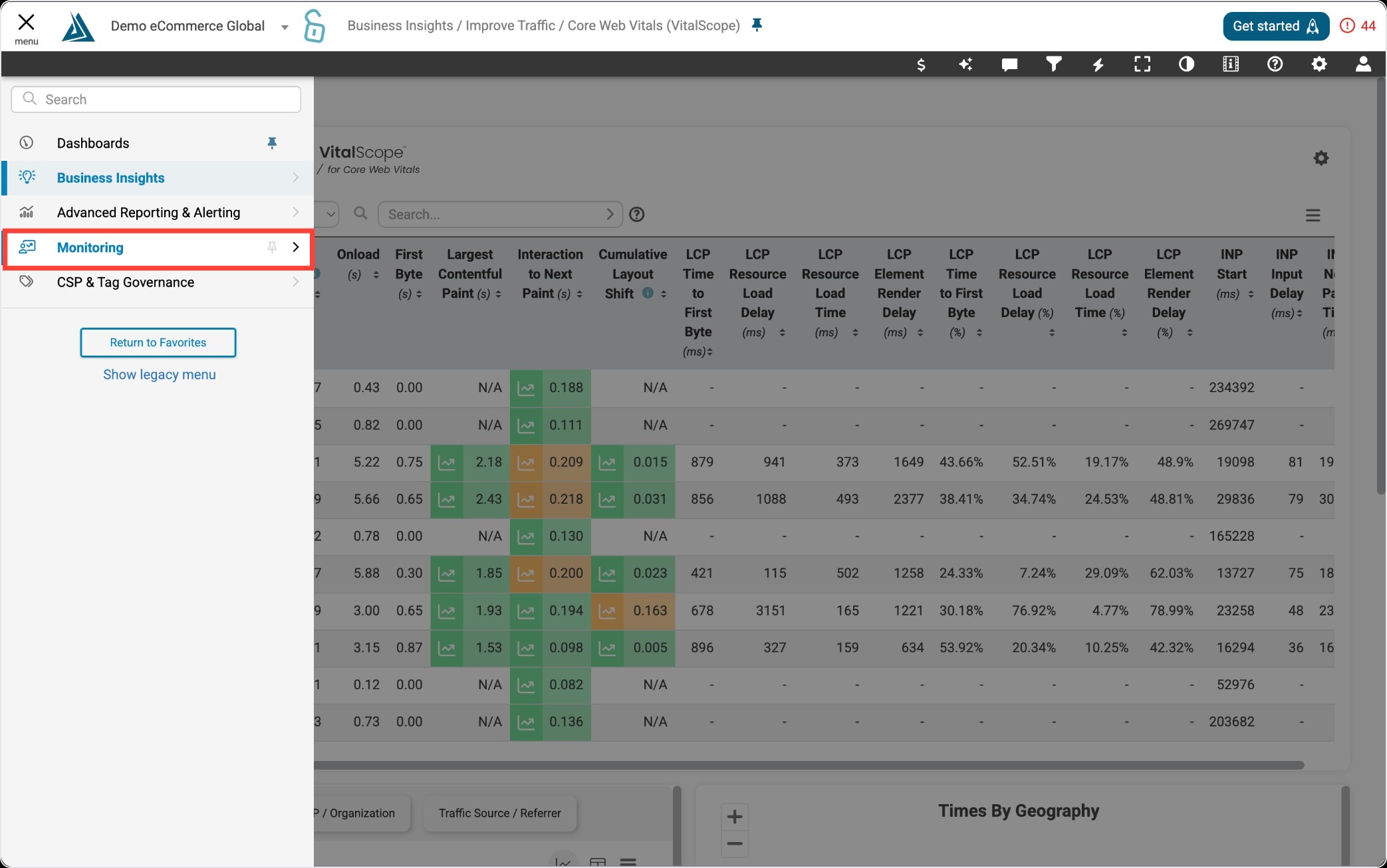
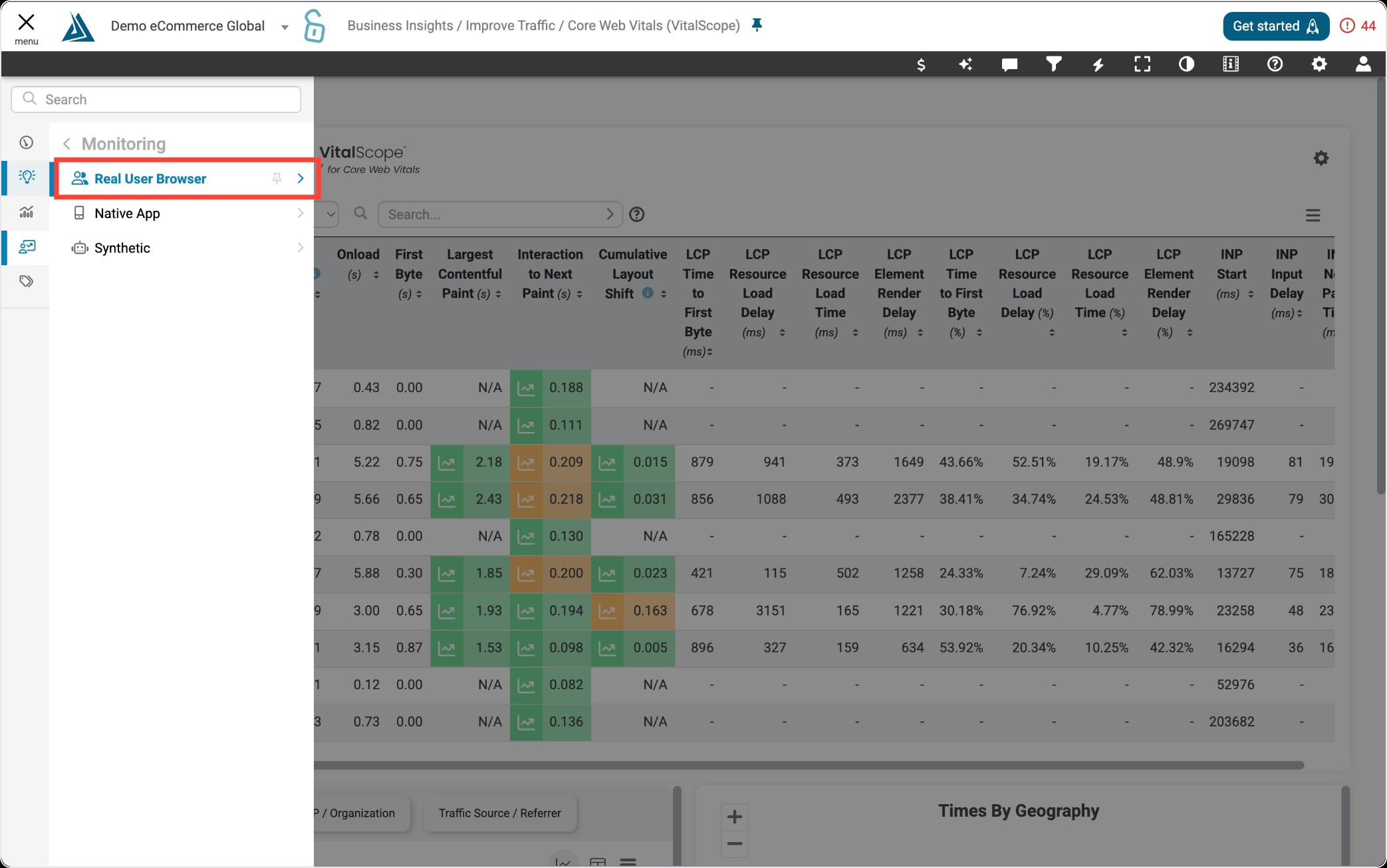
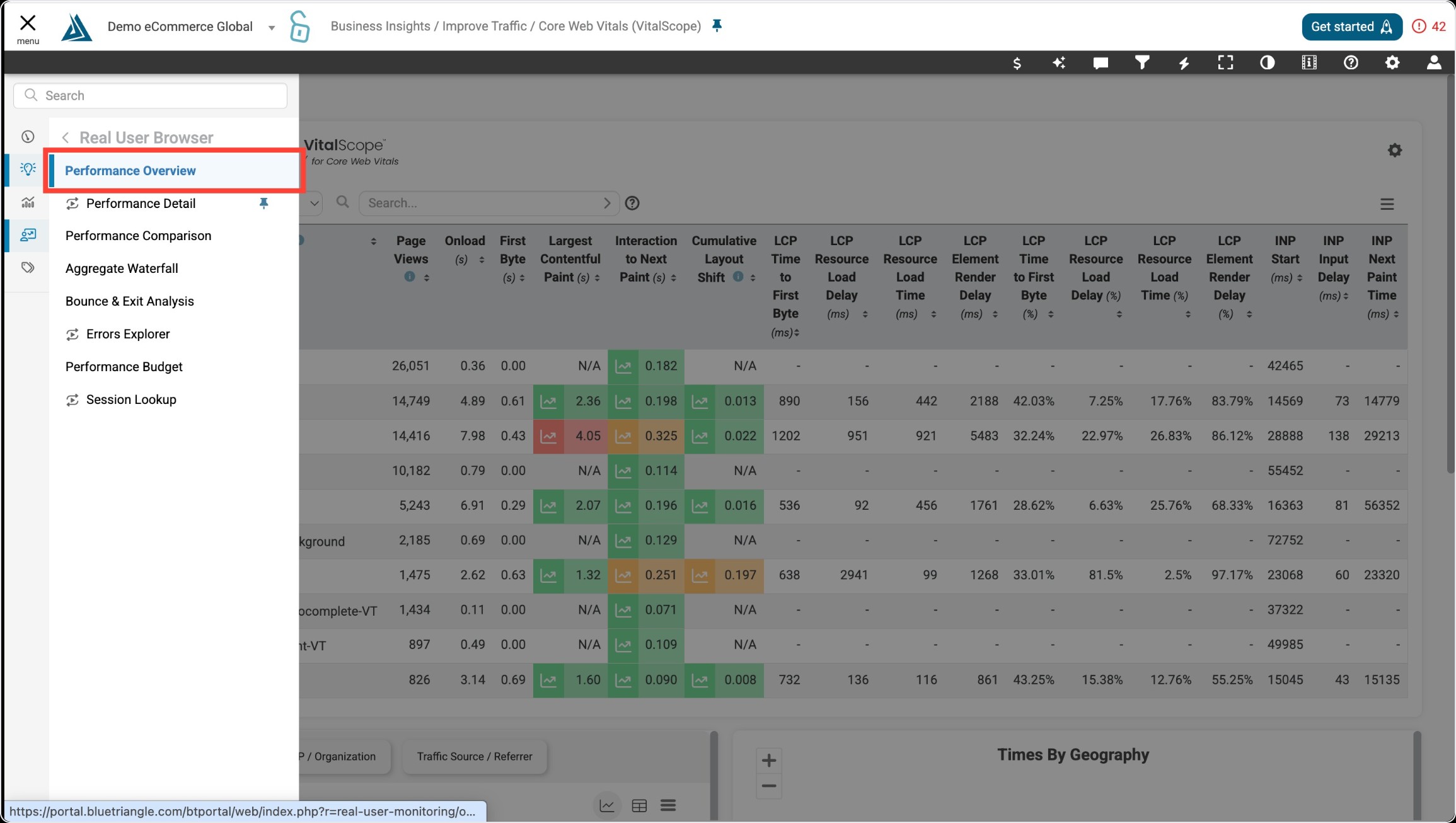
Vital Scope is housed in the RUM Performance Overview page, which can be accessed through the left-side portal menu under Real User Monitoring, then Performance Overview.
How to Navigate Vital Scope
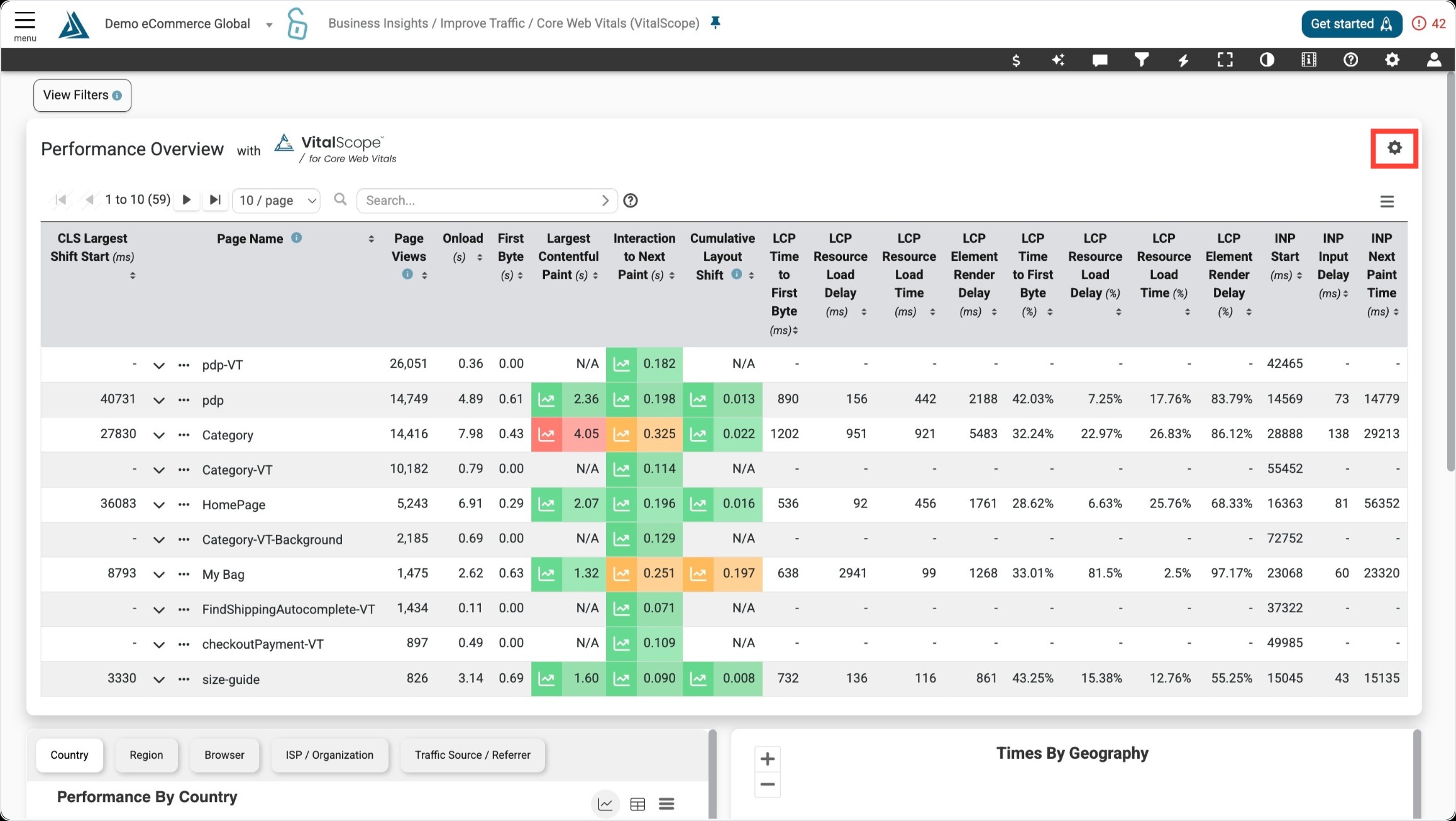
At the top of the page is the Performance Overview with VitalScope table. This table is a high level overview of the site's performance, sorted by page name. The CWVs are color coded to reflect the performance standards set by Google (green=good, yellow=need improvement, red=poor).
Customize the table by clicking the gear icon at the top right.
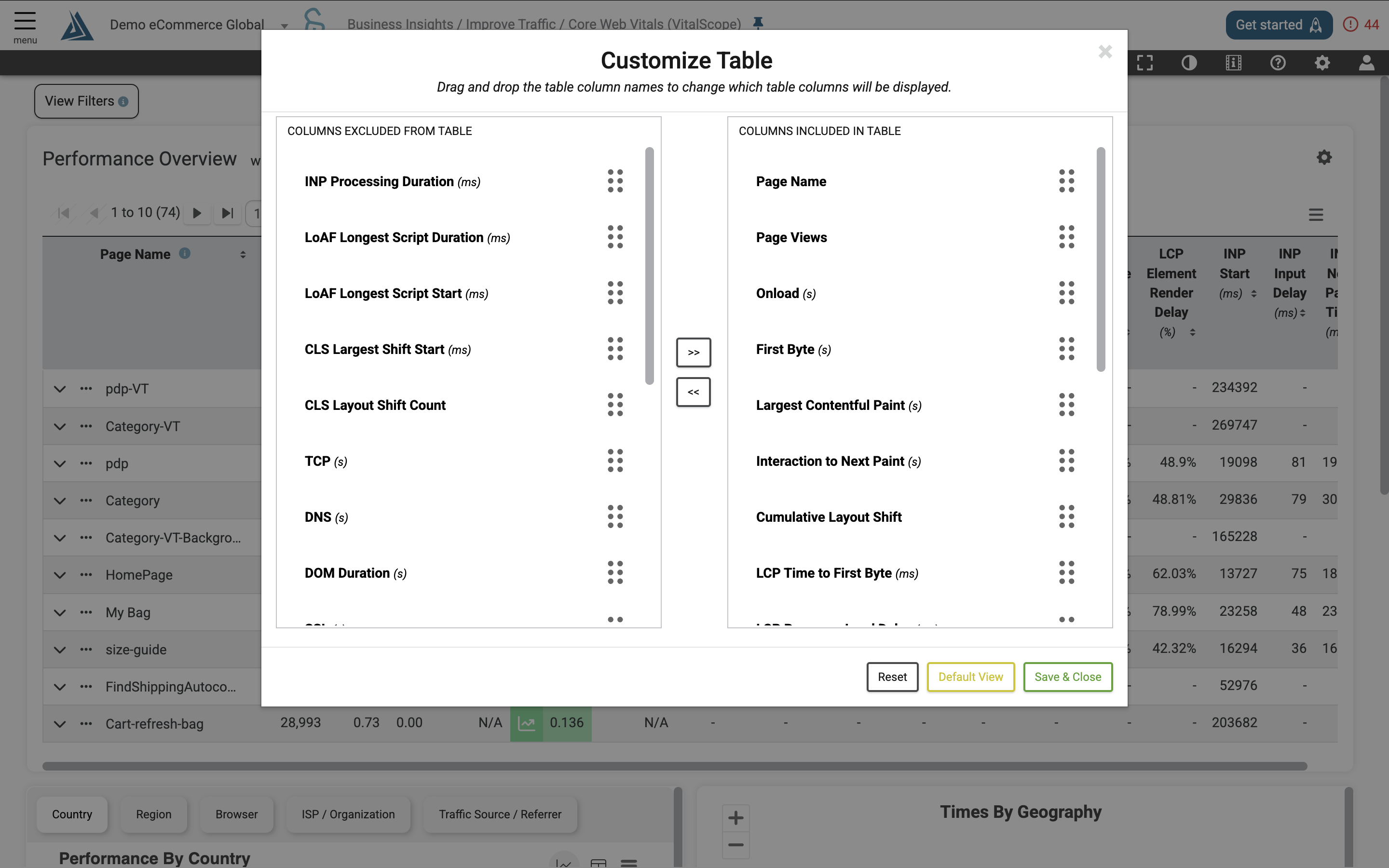
Click on a metric to include it in the table. Click here for a full list of the VitalScope metrics along with their descriptions. VitalScope data is available both per page and by URL.
If VitalScope data is available for a metric, an icon will appear to the left of the metric value.
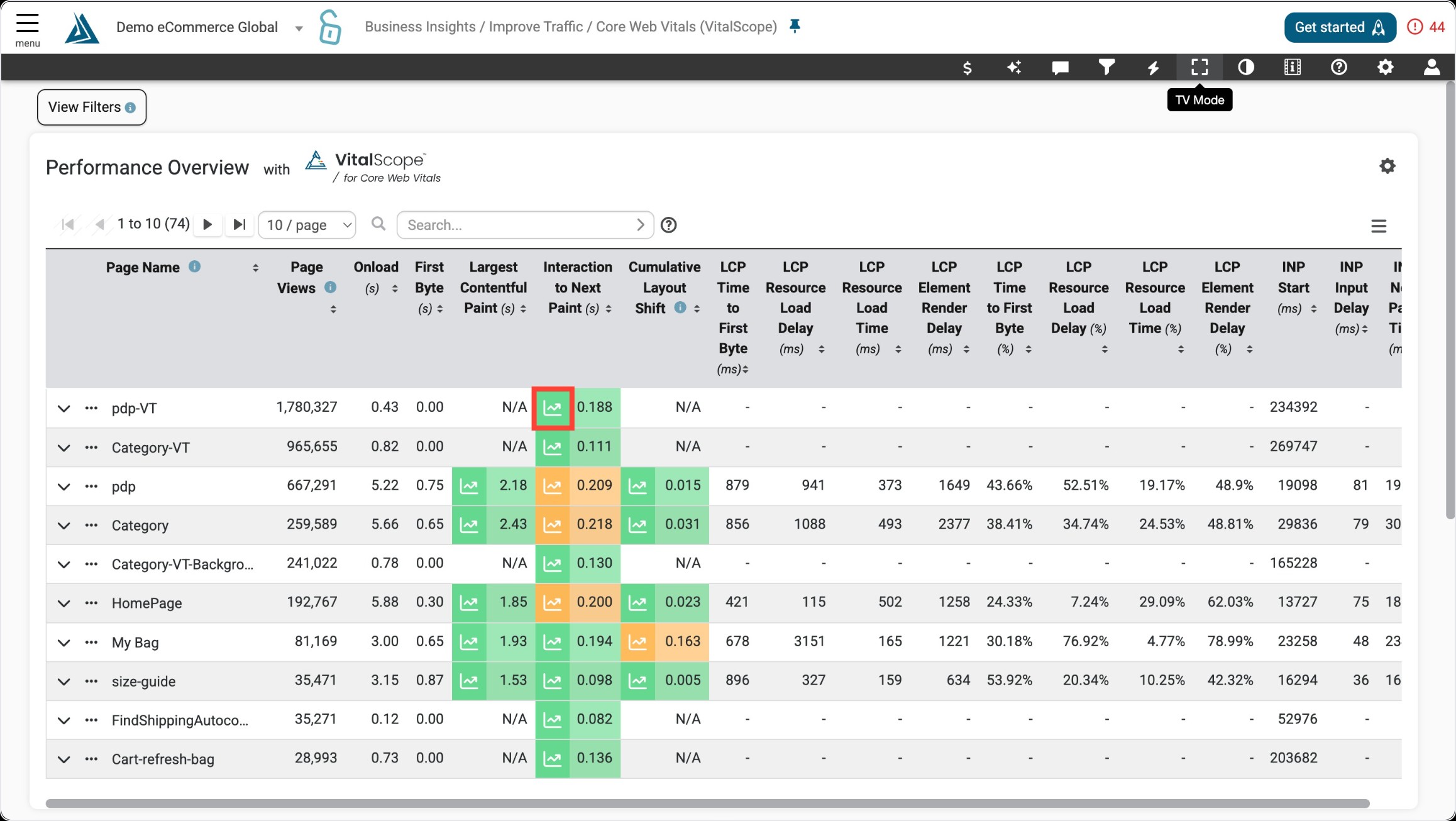
Click on that icon to view the averages for the VitalScope elements on the page.
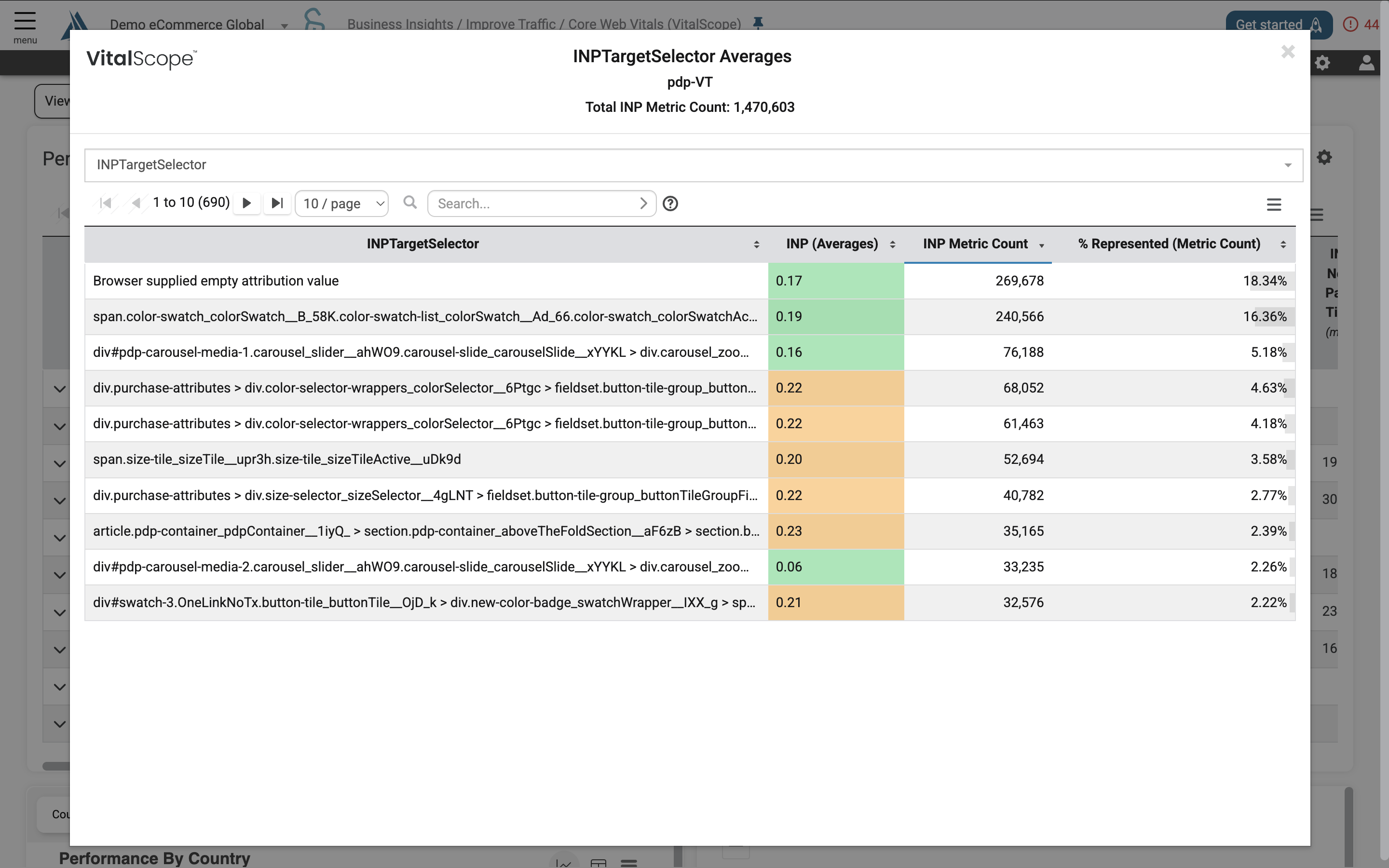
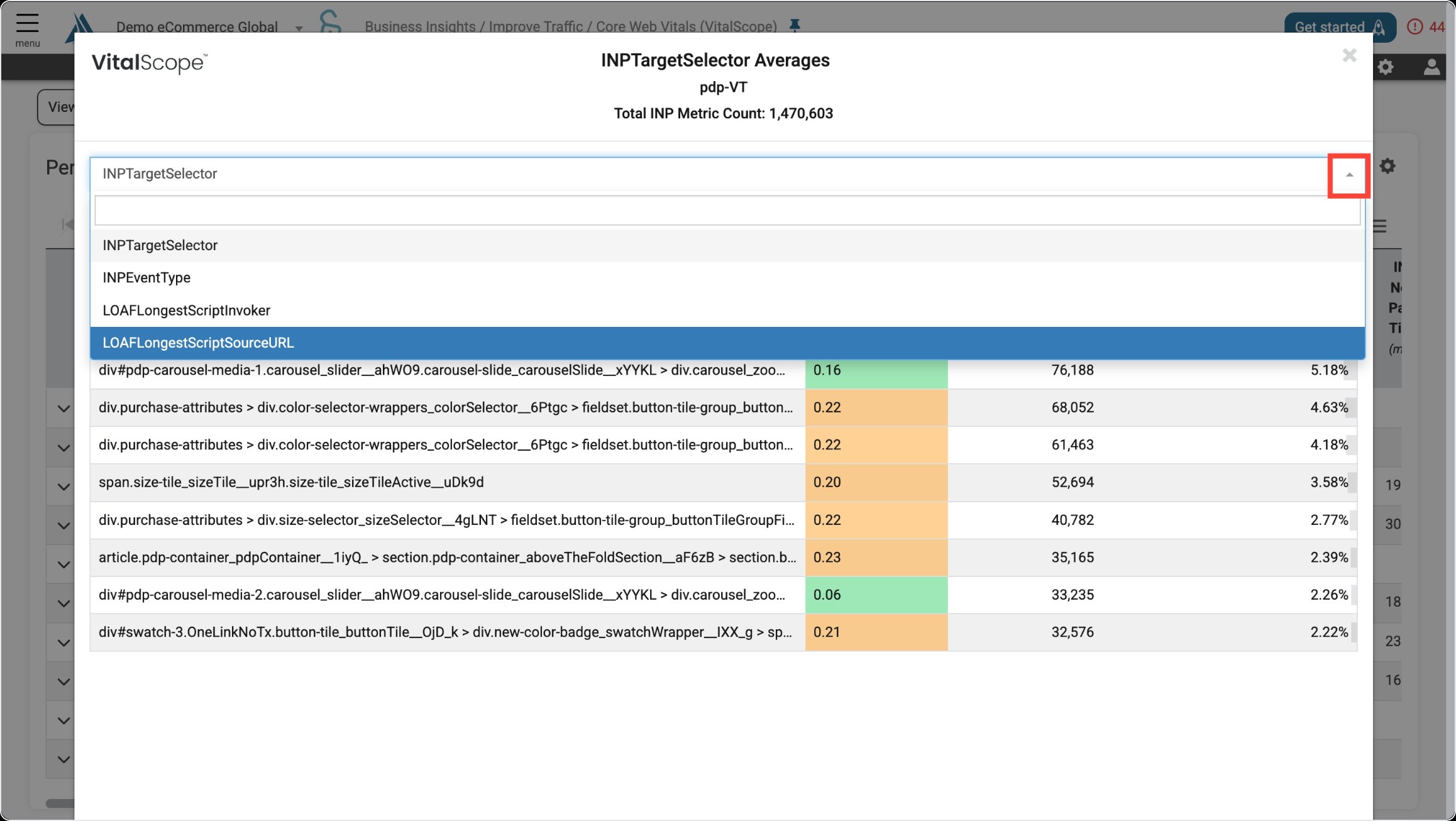
To view data for a different VitalScope element, click on the drop down menu.
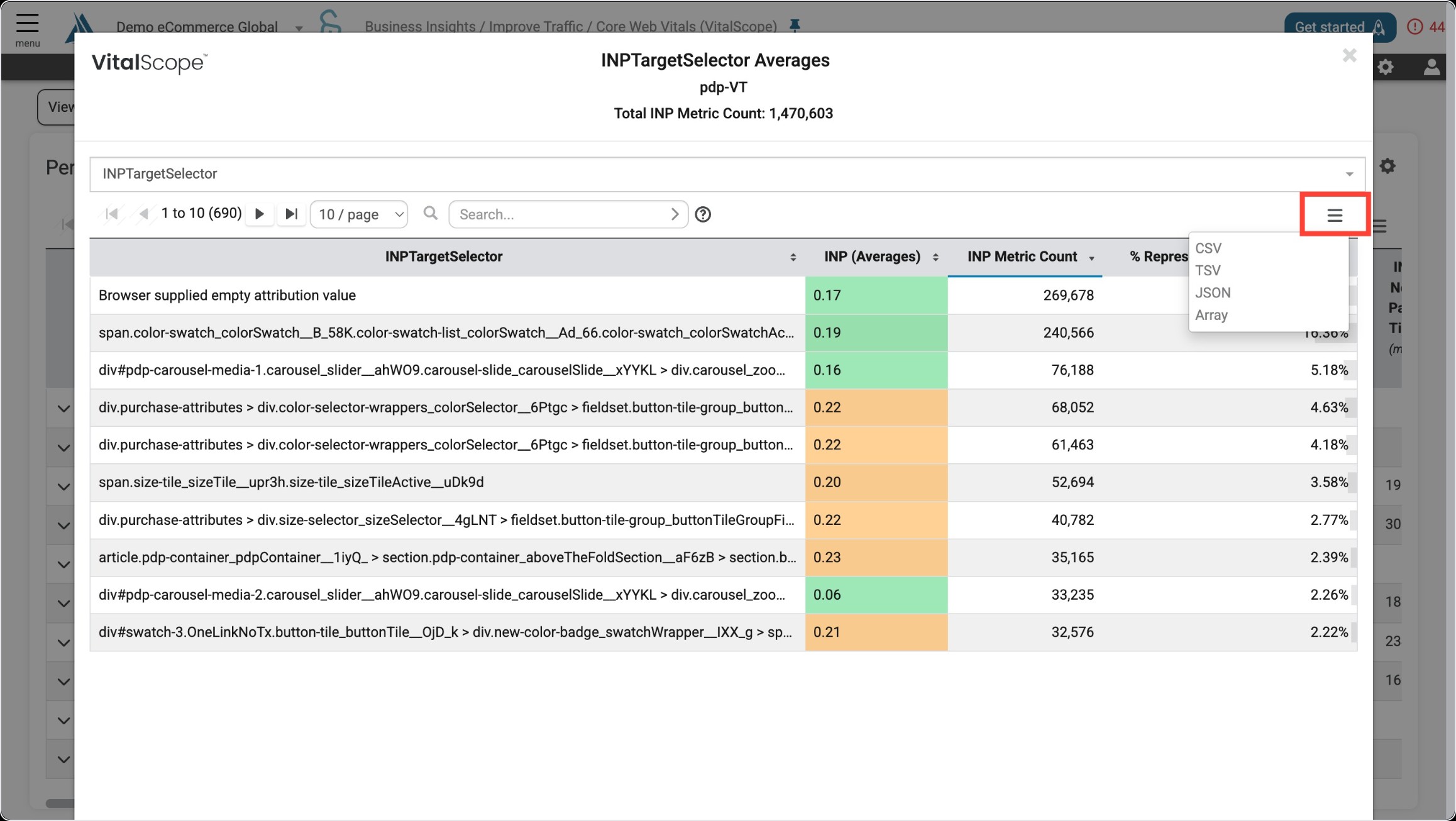
The data in this table can be exported as a CSV, TSV, JSON, or Array file.
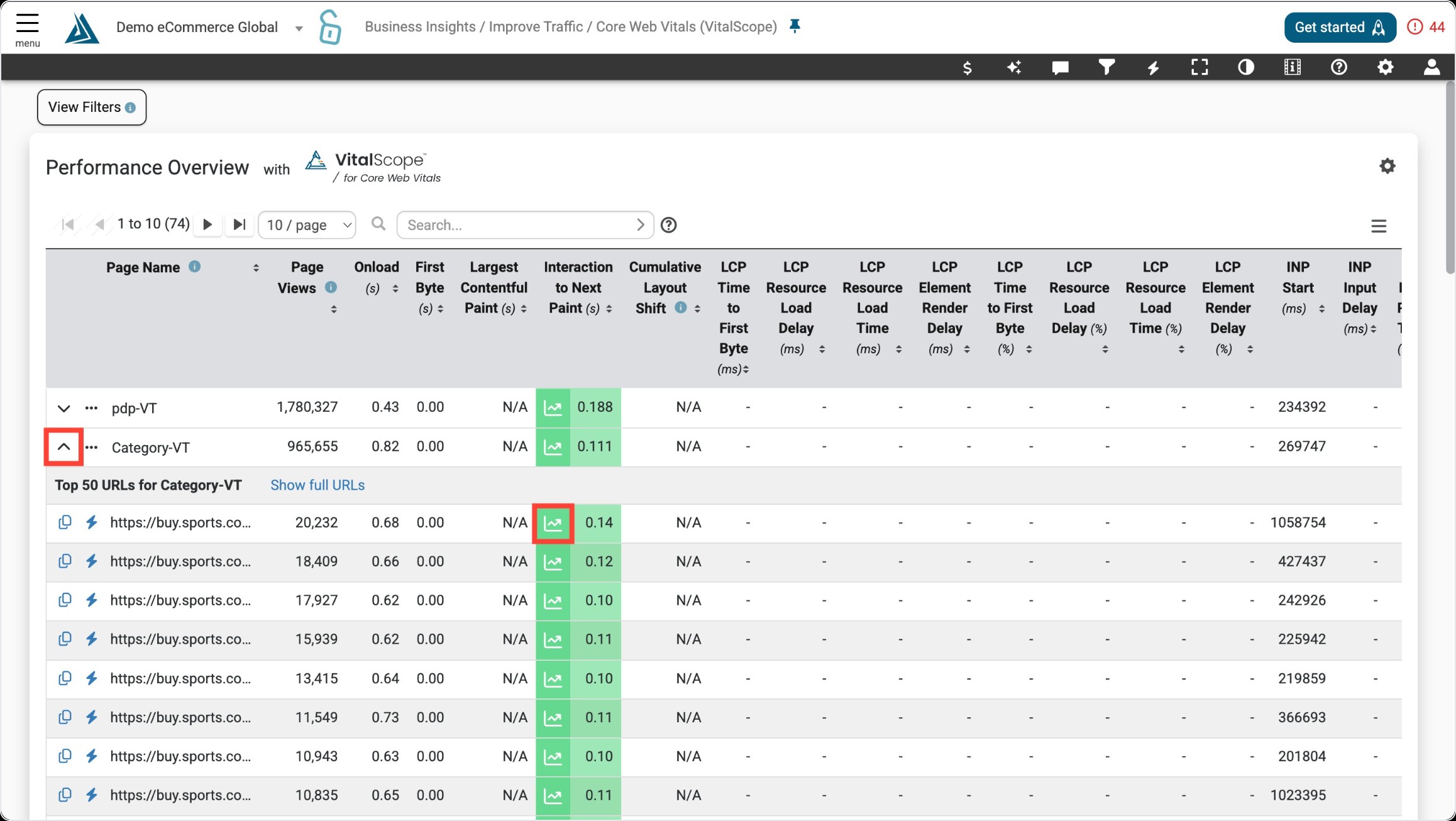
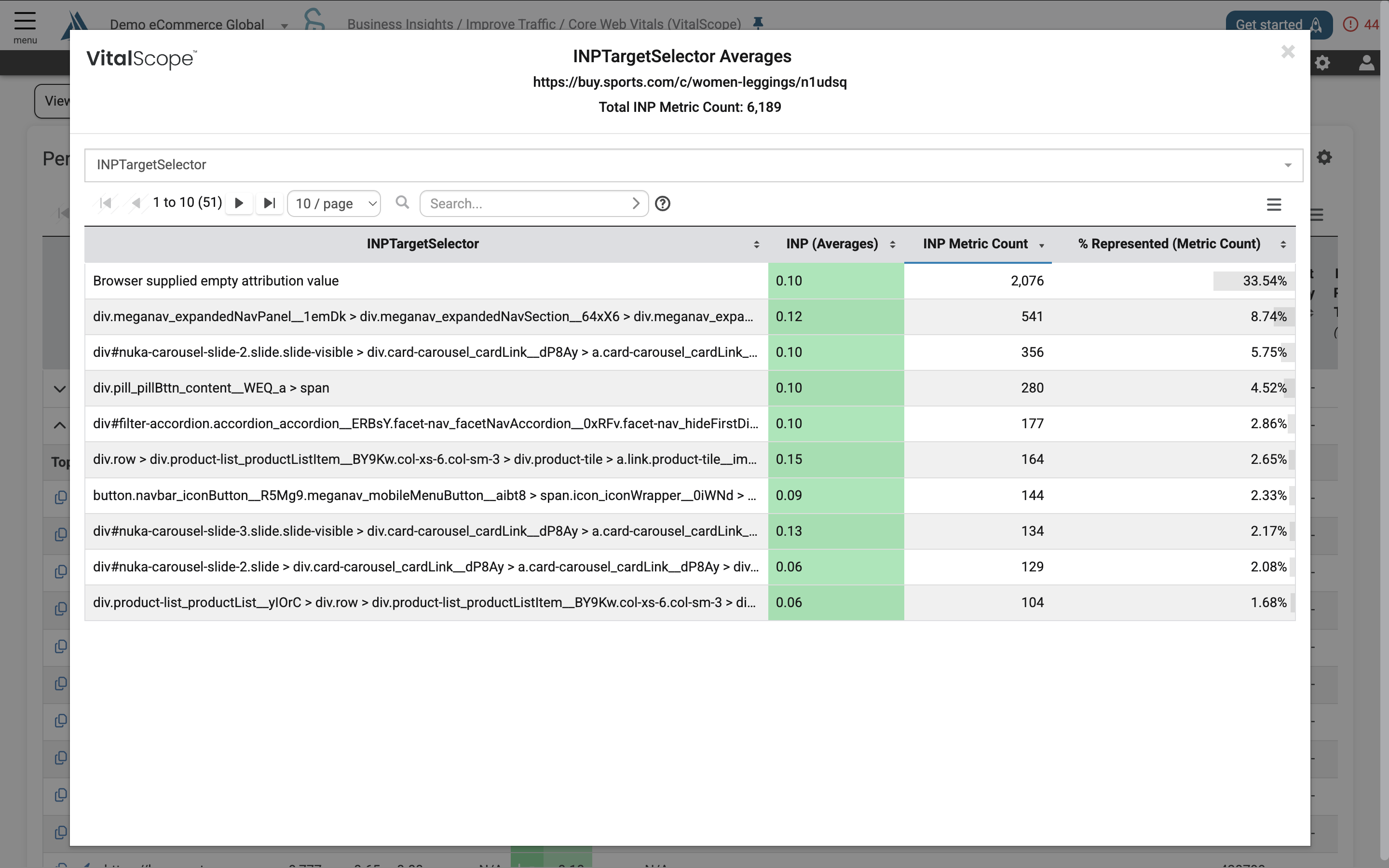
Click on the arrow next to the page name to see the performance for the top 50 URLs per page. Averages for each of the VitalScope elements per URL can be accessed by clicking the icon next to the metric.
Use the drop-down menu to switch between element type.
Vital Scope Metrics
Disclaimer: The Blue Triangle technology leverages webvitals.js to collect the CWV metrics and attribution data. In some cases, the metrics and/or attribution data may be missing. To read more about the current issues please click here.
Largest Contentful Paint (LCP) Metrics & Attribution Data
LCP Metrics
|
LCP Metric |
Definition |
API Column |
|---|---|---|
|
LCPElementRenderDelay (ms) |
Returns Element Render Delay in milliseconds. |
LCPElementRenderDelayMS |
|
LCPElementRenderDelay (%) |
Returns the percentage of Element Render Delay |
LCPElementRenderDelayPercentage |
|
LCPTimeToFirstByte (ms) |
Returns the Time to First Byte in milliseconds and percentage. |
LCPTimeToFirstByteMS |
|
LCPTimeToFirstByte (%) |
Returns the percentage of Time to First Byte. |
LCPTimeToFirstBytePercentage |
|
LCPResourceLoadDelay (ms) |
Returns Resource Load Delay in milliseconds. |
LCPResourceDelayMS |
|
LCPResourceLoadDelay (%) |
Returns the percentage for Resource Load Delay. |
LCPResourceLoadDelayPercentage |
|
LCPResourceLoadTime (ms) |
Returns the Resource Load Time in milliseconds. |
LCPResourceLoadTimeMS |
|
LCPResourceLoadTime (%) |
Returns the percentage of Resource Load Time |
LCPResourceLoadTimePercentage |
LCP Attribution Data
|
LCP Attribution Data |
Definition |
API Column |
|---|---|---|
|
LCP Selector* |
Returns the selector of the HTML element that contains the LCP image or video. |
LCPSelector |
|
LCP URL* |
Returns the URL of the HTML element that contains the LCP image or video. |
LCPURL |
*- in some cases, webvitals.js (the mechanism used to capture the attribution data), does not provide the selector or the URL. For example, if the LCP element is text, it may not have a URL. Blue Triangle performs the following manipulations to provide more insight to developers about the LCP element in these situations:
|
Value returned from Webvitals.js |
BT Assignment |
Action taken |
||
|---|---|---|---|---|
|
LCP URL |
LCP Selector |
LCP URL |
LCP Selector |
|
|
Valid |
Blank |
Valid |
Element type: (.jpg) |
Assign element type from the URL |
|
Blank |
Blank |
50 first characters from innerText |
Blank |
Assign 50 first characters from innerText |
|
Blank |
Valid |
50 first characters from innerText |
Valid |
Assign 50 first characters from innerText |
Cumulative Layout Shift (CLS) Metrics & Attribution Data
CLS Metrics
|
CLS Metric |
Definition |
API Column |
|---|---|---|
|
CLSLargestShiftStart (ms) |
The time when the single largest layout shift contributing to the page's CLS score occurred. |
CLSLargestShiftStart |
|
CLSLayoutShiftCount |
Returns the number of CLS elements. |
CLSLayoutShiftCount |
CLS Attribution Data
|
CLS Attribution Data |
Definition |
API Column |
|---|---|---|
|
CLSLargestShiftSelector |
Returns the document selector for the HTML element that caused the largest shift. |
CLSLargestShiftSelector |
Interaction to Next Paint (INP) Metrics & Attribution Data
INP Metrics
|
INP Metric |
Definition |
API Column |
|---|---|---|
|
INPStart (ms) |
This indicates the precise moment when a user initiates an interaction, such as clicking a button or typing in a form field. |
INPStart |
|
INP Input Delay (ms) |
This is the first phase of INP and represents the time it takes for the browser to begin processing the event handler associated with the user's interaction. It's the duration between the user initiating an interaction and the browser actually starting to execute the relevant JavaScript code. |
INPInputDelay |
|
INP Next Paint Time (ms) |
The moment when the browser next updates the display after an interaction |
INPNextPaintTime |
|
INP Processing Duration (ms) |
The time it takes for event callbacks to run to completion |
INPProcessingDuration |
|
INP Presentation Delay (ms) |
The time it takes for the browser to present the next frame which contains the visual result of the interaction |
INPPresentationDelay |
INP Attribution Data
|
INP Attribution Data |
Definition |
API Column |
|---|---|---|
|
INPTargetSelector |
The document selector for the HTML element that triggered the INP metric. |
INPTargetSelector |
|
INP Event Type |
The user action that triggered the INP metric. |
INPEventType |
|
INPTarget |
Refers to the specific HTML element that the user interacted with, triggering the interaction being measured for INP |
INPTarget |
Long Animation Frames (LoAF) Metrics & Attribution Data
LoAF Metrics
|
LoAF Metric |
Definition |
API Column |
|---|---|---|
|
LoAF Longest Script Duration (ms) |
The duration of the LoAF script. |
LOAFLongestScriptDuration |
|
LoAF Longest Script Start (ms) |
The start time of the LoAF script. |
LOAFLongestScriptStart |
LoAF Attribution Data
|
LoAF Attribution Data |
Definition |
API Column |
|---|---|---|
|
LOAFLongestScriptInvoker |
The trigger of the script that drives the LoAF metric. |
LOAFLongestScriptInvoker |
|
LOAFLongestScriptSourceURL |
The URL of the script that drives the LoAF metric. |
LOAFLongestScriptSourceURL |