

|
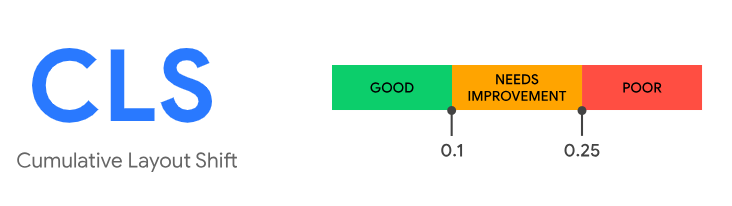
Good CLS values are 0.1 or less, poor values are greater than 0.25, and anything in between needs improvement |
Overview
Cumulative Layout Shift (CLS) is an important, user-centric metric for measuring visual stability of a page. It helps quantify how often users experience unexpected layout shifts—a low CLS helps ensure that the page is functioning and convenient for the user. CLS is a measure of the largest burst of layout shift scores for every unexpected layout shift that occurs during the entire lifespan of a page.
Calculation
How CLS is Calculated
As of November 13, 2024, the Blue Triangle tag collects Cumulative Layout Shift directly from Google's web-vitals JavaScript library, rather than calculating it with Blue Triangle's own methodology. This aligns Blue Triangle's CLS values with Google's definition of the metric. For details on how this change affected reported values, see Webvitals.js Impact on Core Web Vitals.
Session windows
CLS is not the sum of every layout shift over the life of the page. Instead, individual layout shift scores are grouped into bursts called session windows. A session window includes shifts that occur less than 1 second apart, up to a maximum window length of 5 seconds. The page's CLS score is the total of the session window with the highest cumulative score.
Which layout shifts count
Only unexpected layout shifts count toward CLS:
-
Shifts that occur within 500 milliseconds of a discrete user input, such as a click, tap, or key press, are flagged by the browser (
hadRecentInput) and excluded. -
Continuous interactions such as scrolling, dragging, or pinch-zooming are not treated as user input, so shifts during them still count.
-
Elements that are newly added to the page, or that change size without changing their start position, are not counted as shifting. Shifts only count when they cause other visible elements to move.
When CLS is reported
-
CLS is reported whenever the page's visibility state changes to hidden. This covers the user switching tabs, minimizing the browser, navigating away, or closing the page.
-
If a page is restored from the back/forward (bfcache) cache, CLS is reset to zero and reported again, because the user experiences the restore as a new page visit.
-
CLS is not reported if the page was loaded in the background, or was backgrounded before any content was painted.
Known limitation
The browser API does not report layout shifts that happen inside iframes, though Google's Chrome User Experience Report (CrUX) includes them. Pages with significant iframe content, such as embedded ads or widgets, may show lower CLS in Blue Triangle than in CrUX.
Glossary
CLS End: calculated as the epoch timestamp of the last layout shift that occurred (that timestamp - navigationStart = CLS End); separate metric from CLS
Cumulative Layout Shift(CLS): user-centric metric for measuring visual stability; a measure of the largest burst of layout shift scores for every unexpected layout shift that occurs during the entire lifespan of a page.
Impact Fraction: measures how unstable elements impact the viewport area between two frames; the combined visible area of all unstable elements in the current frame and the previous frame, as a fraction of the total viewport area.
Distance Fraction: measures the distance that unstable elements have moved, relative to the viewport; greatest distance any unstable element has moved in the frame (either horizontally or vertically) divided by the viewport's largest dimension (width or height, whichever is greater).
Layout Shift: occurs any time a visible element changes its position from one rendered frame to the next.
Layout Shift Score: product of two measures of that movement: the impact fraction and the distance fraction.