

Overview of the Core Web Vitals
Web Vitals is an initiative by Google to provide unified guidance for quality signals that are essential to delivering a great user experience on the web.
The Core Web Vitals, as of Winter 2022, are:
-
Largest Contentful Paint (LCP): Measures the time from navigation to the time when the browser renders the largest bit of content from the DOM.
-
First Input Delay (FID): Measures the time from when a user first interacts with your site (i.e. when they click a link, tap on a button, or use a custom, JavaScript-powered control) to the time when the browser is actually able to respond to that interaction.
-
Cumulative Layout Shift (CLS): Measures the sum total of all individual layout shift scores for every unexpected layout shift that occurs during the entire lifespan of the page.
What is CLS
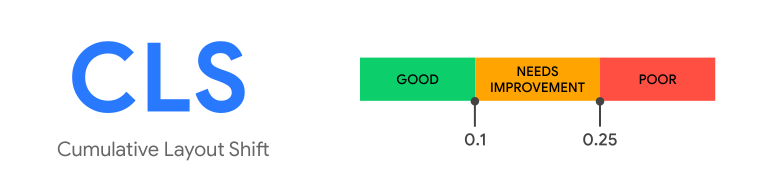
Cumulative Layout Shift focuses on visual stability.

If we look at the example gif above we can see a customer trying to select the “No, go back” option, but a tooltip appeared at the top of the page and shifted everything down. Now, the customer clicked on submit order instead. This can lead to a frustrating user experience. This is an example of a shift that may and probably does happen on your website. Cumulative Layout Shift as a metric is looking to see how many of these shifts are occurring on the page and then tallying them all up to give you a score. You might note that CLS is different from its Core Web Vital brethren in that it does not have a “seconds” on the end of it. This is due to the unique way it is calculated.
The main causes of a poor CLS score are:
-
Images without dimensions
-
Ads, embeds, and iframes without dimensions
-
Dynamically injected content
-
Web Fonts causing FOIT/FOUT
How CLS is Calculated
You might note that CLS is different from its Core Web Vital brethren in that it does not have a “seconds” on the end of it. This is due to the unique way it is calculated.
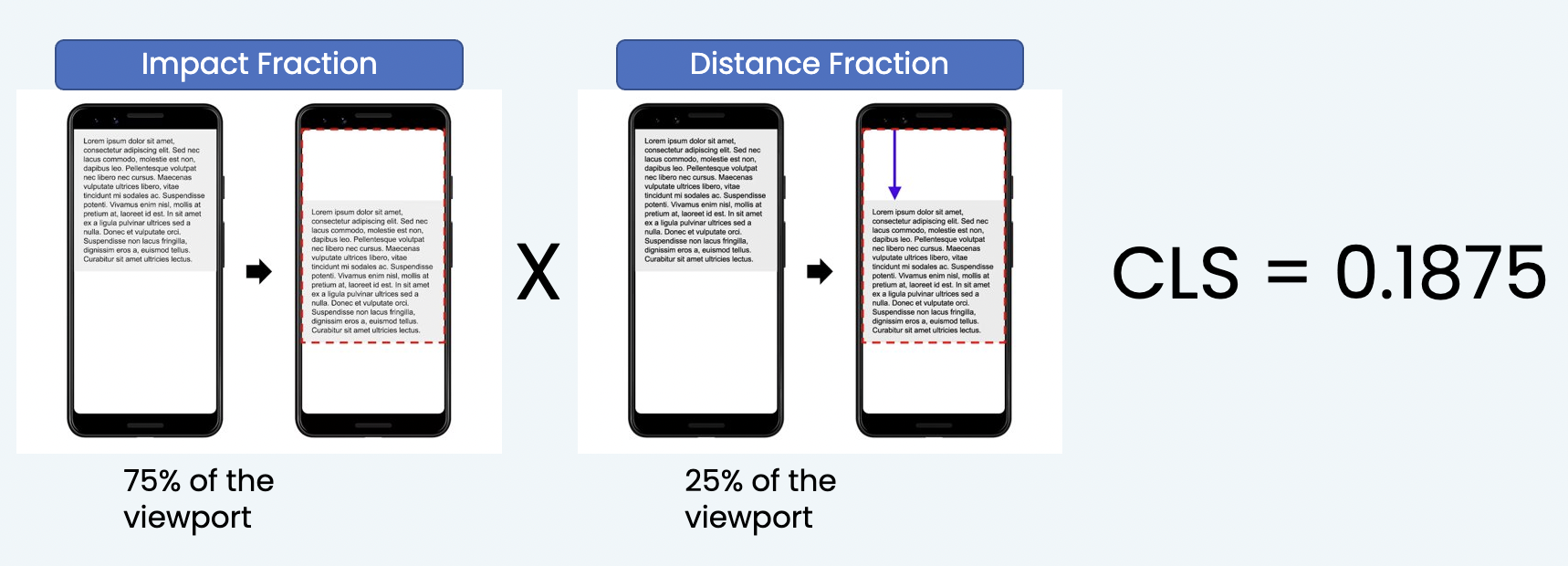
CLS has two factors that go into each shift it calculates: Impact Fraction and Distance Fraction. Impact Fraction as seen in the image above is the combined distance of image and the area the image moved through in relation to the viewport. Think of it as the total space the image existed in before and after the shift. Compared to the viewport in this example, the image is taking up 50% of the screen and its leaving behind 25% making for a total impact Fraction of 75%. This means larger images will have a greater effect on your CLS score than smaller ones, also why CLS can be way more severe on mobile devices. Once we have that we are going to multiply that by the distance fraction. The distance fraction is the greatest distance any unstable element has moved in the frame (either horizontally or vertically) divided by the viewport's largest dimension (width or height, whichever is greater). In this example 25% percent of the viewport. When we multiple those together you get a score of .1875 which, by Google’s standards, is already in the need’s improvement category after one shift.
For more detail on how CLS is calculated, check out this article.
How to Leverage Blue Triangle
So how do we prevent or fix this from happening on your website?
First thing we need to be able to do is see where these changes are occurring. Seeing a screenshot after your site loads or trying to eyeball the changes as they are happening can be difficult. Blue Triangle can make this easier. Our Synthetics include a filmstrip option where a snapshot is taken every 250ms as your website loads, this way we can see when things appear on your site. It will also give you boxes to indicate when major performance events are occurring, the important one (for this situation at least) is Cumulative Layout Shift End. Blue Triangle is able to provide you with the moment we saw the last shift take place during your page load.
Example:
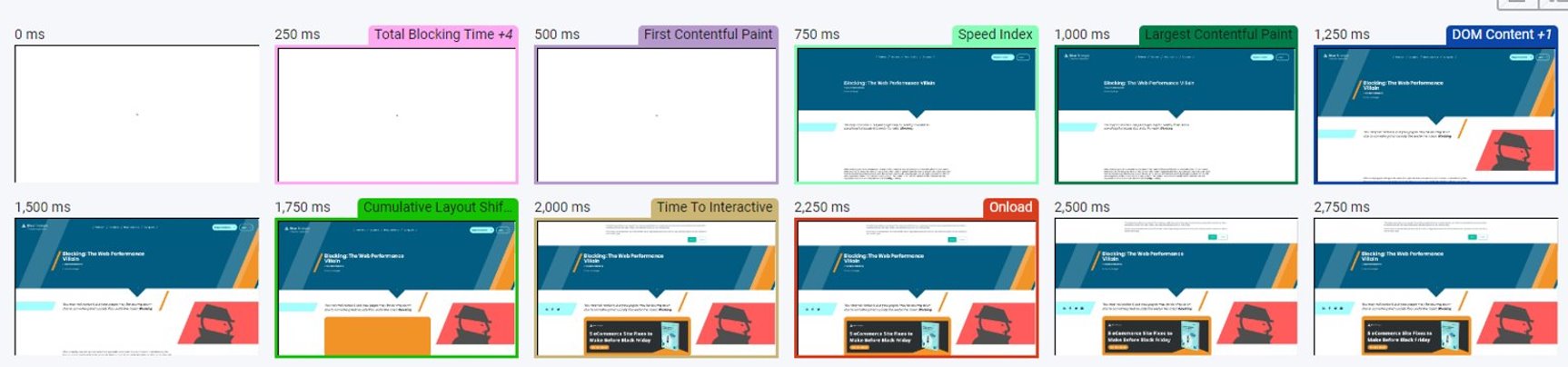
Here is a closer view of the bottom left two screenshots so we can see where the last shift was taking place.
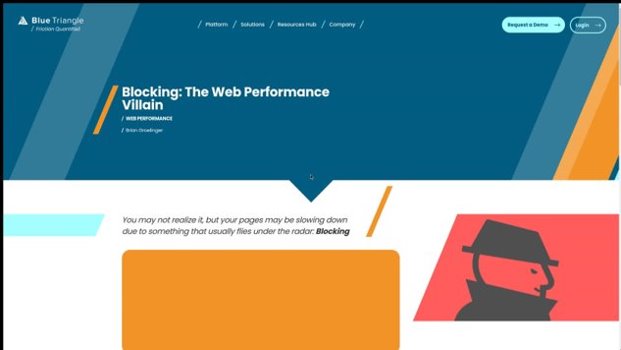
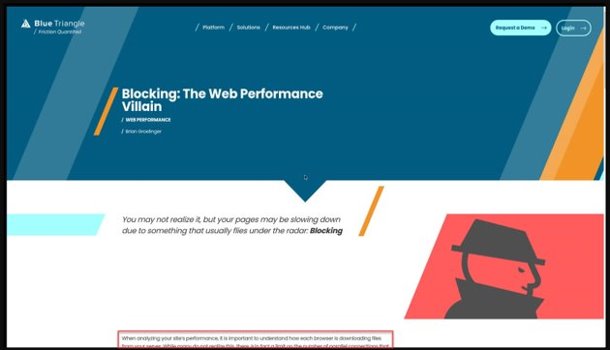
We actually have a couple shifts occurring on in this example, one between 1000ms and 1250ms where the screen shifts some of the content down and one final one between 1500 and 1750ms where that orange box shifts some of the text off the screen. These two relatively small shifts still resulted in a CLS score of .106 which would be just out of the green zone for Google’s scoring.
Interactive Demo
How To Optimize For CLS
Now that we can see when the shifts are occurring and where we need improvement, how do we do that?
Size Attributes
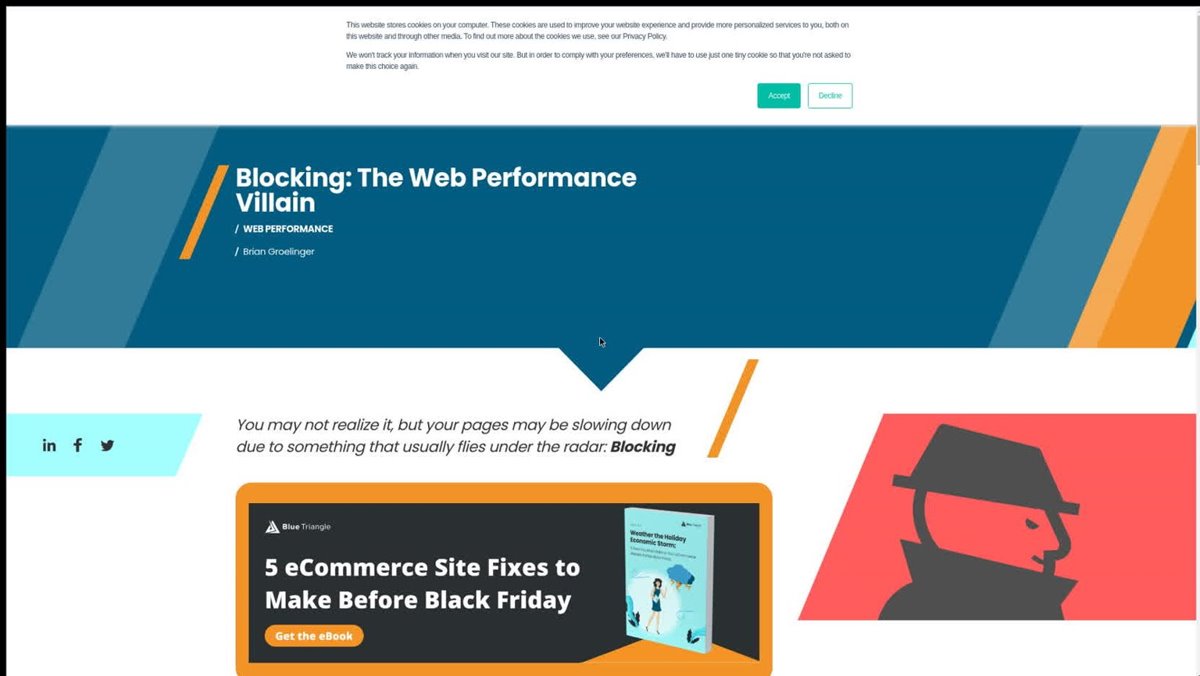
The first option is to include size attributes to the elements on the page. This means we want to make sure we include the appropriate amount of size and space on the site for the element so when an image comes in its not changing or shifting anything else on the page. In this same example as above we can see that a box appeared at 2000ms, but it did not shift anything.
Because the size attribute was accounted for, this did not result in a shift and did not contribute to its final Cumulative Layout Score. You can also make use of the “Unsized-media” policy when coding images onto your site to force them to a certain dimension. Here is a link for more detail on how to utilize this policy.
2000ms:
When to Insert Content
The next way we can improve CLS is to make sure we never insert content above existing content.
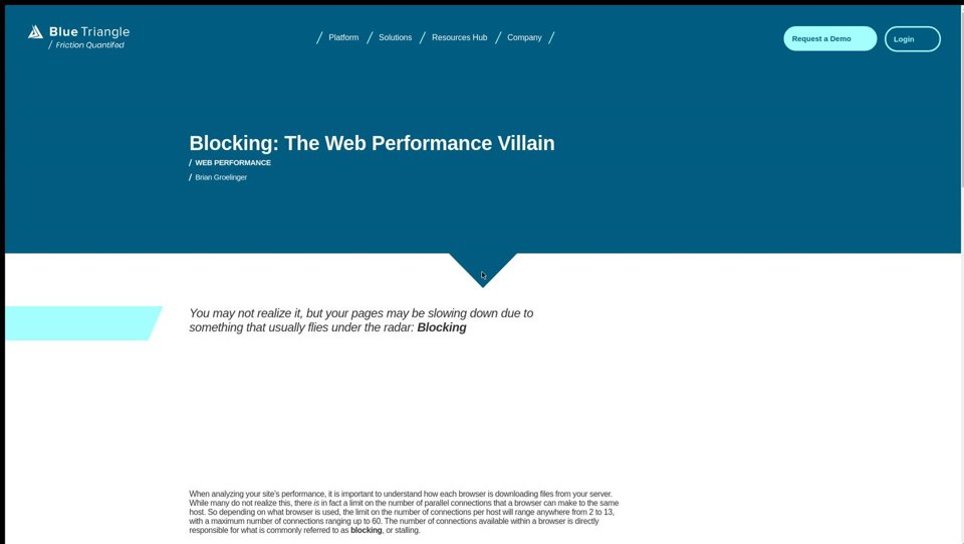
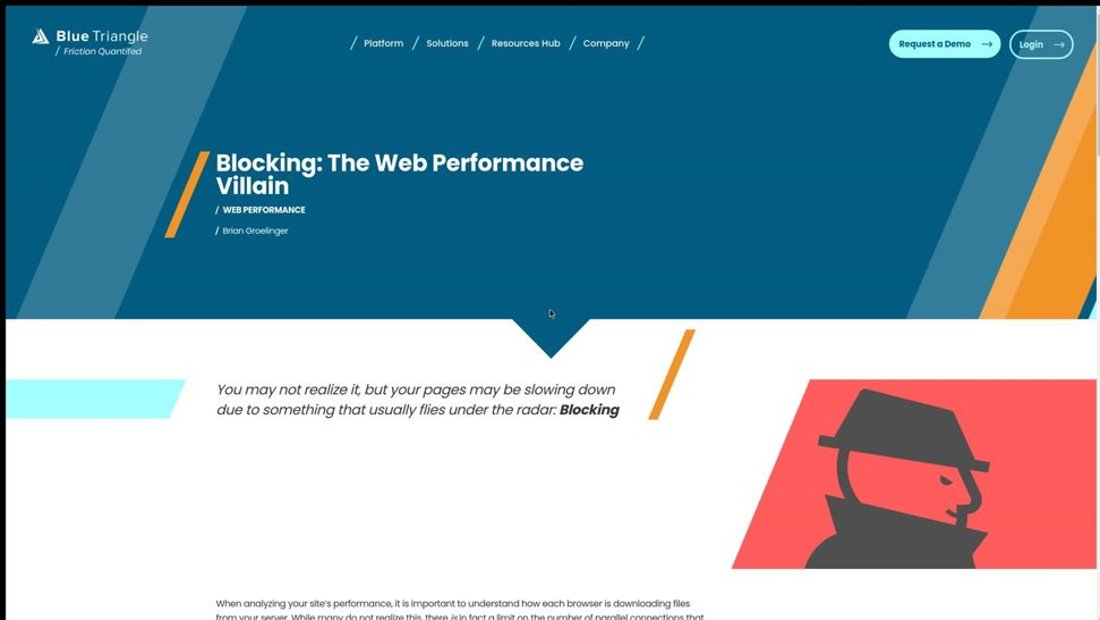
In this example we can see that some of these diagonal graphics were included on the page which expanded that top blue box and pushed down the text. Some of which got pushed off the page. Ideally we would want to avoid that moving forward and not load anything above what we already have in place. This one is the most straightforward, try to build your page so that its always building down. 1000ms:
1250ms:
Transformation Animations
Another opportunity to optimize for CLS that we will be covering is to use transformation animations over movement-based ones.
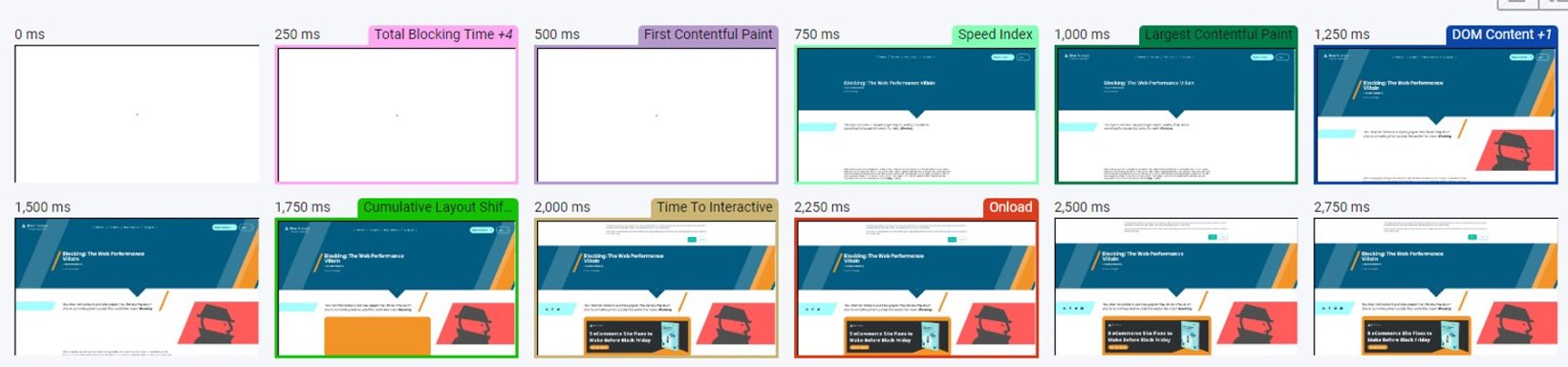
You will notice here that between 1750ms and 2000ms we did have a popup banner come down.
We can see that it came over the top of the image and nothing was shifted, so this did not register a shift for where Cumulative Shift is concerned. The name of the game is stability here and everything that comes in needs to keep everything as still as possible.
Keep in mind that these are only some of the guidelines for CLS there are a lot of things to consider when dealing with CLS that builds off of these (see main causes of a poor CLS score). Anything that has no preset dimensions will shift your page. If you have a lot of ads on the page or are using an ad delivery service, those ads can shift. Always be careful about ads at the top of the page, because those are the ones that will shift on you
Reserving Ad Space
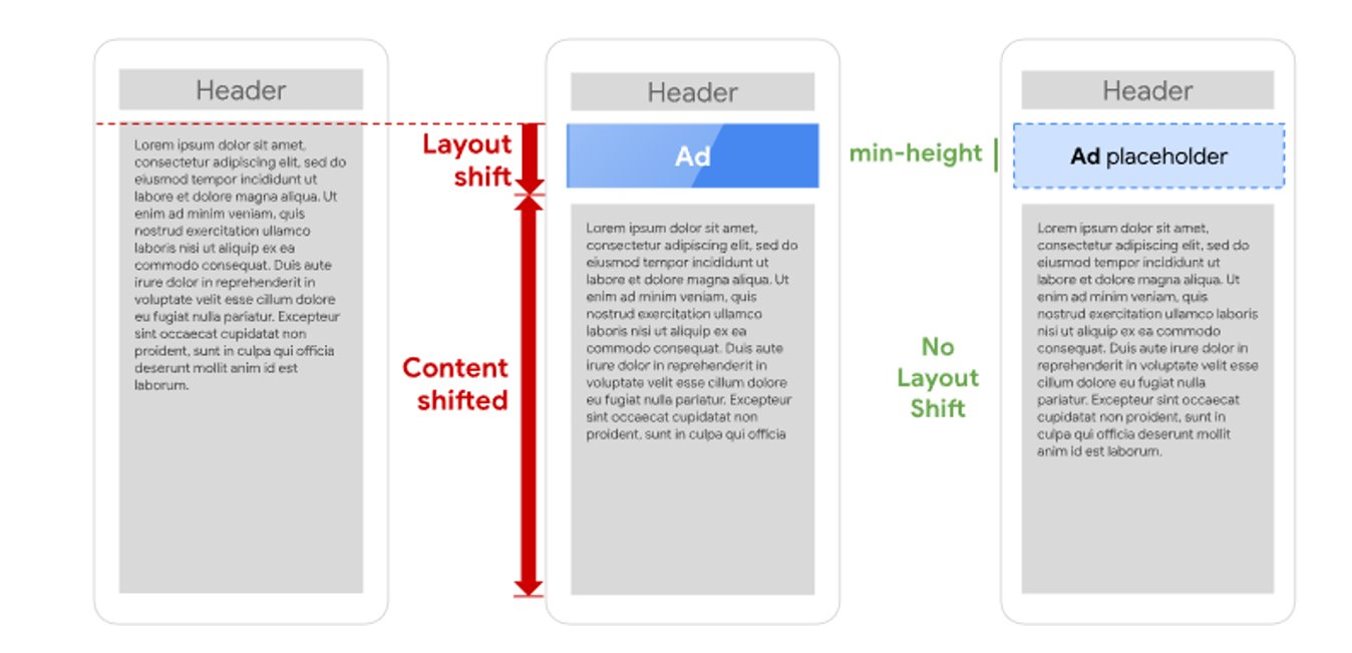
Try to reserve a specific amount of room for where the ad is going to go, that way when it comes in its not shifting anything. Note that you will need to make sure that the ad adheres to the dimensions you reserved. Otherwise, shift is going to occur if there is not enough space.
Sources:
Google, https://web.dev/cls/