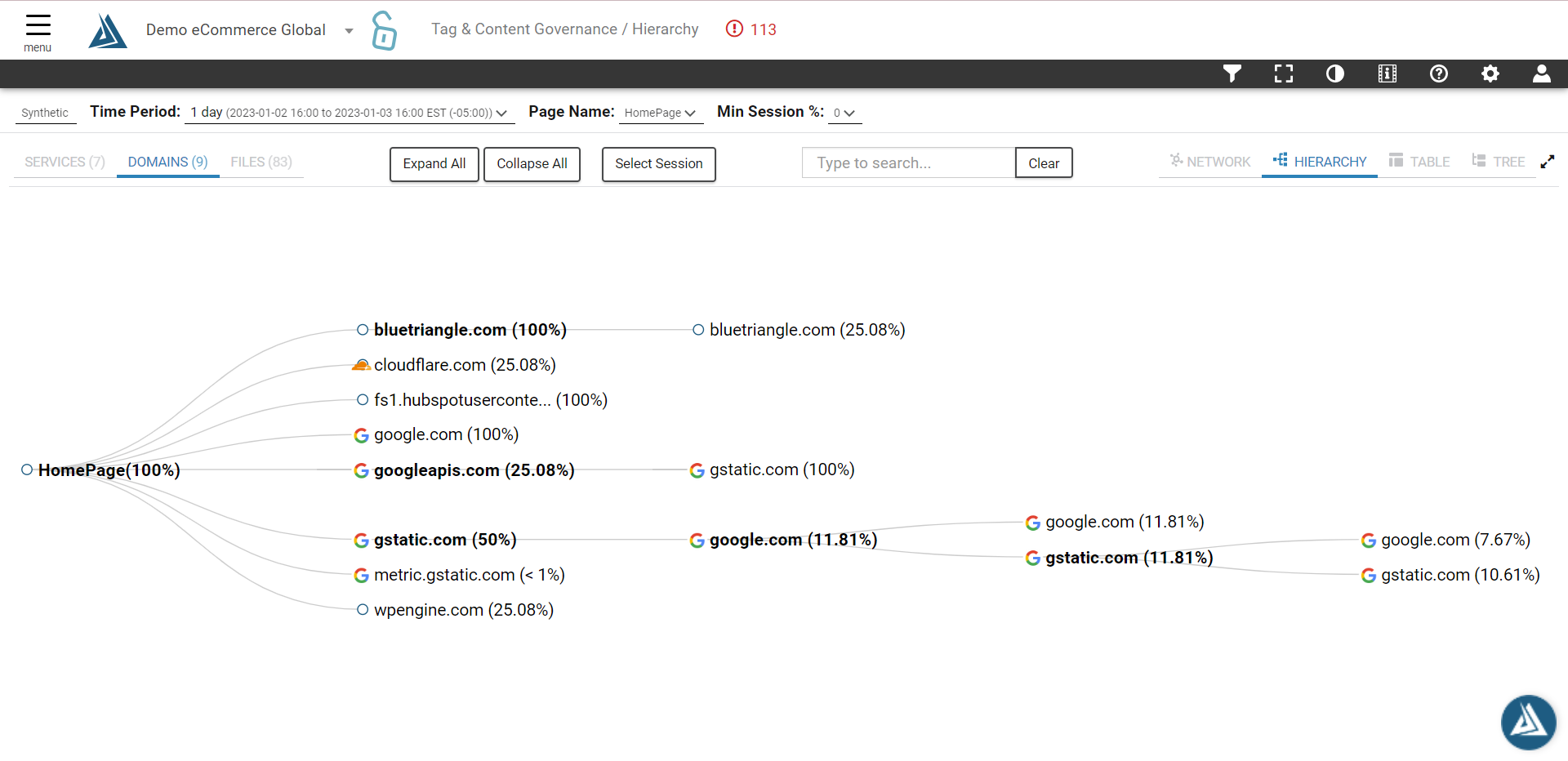
To do this you'll have to ensure you have a synthetic monitor running for that specific page. Once you have a synthetic in place, follow the steps below.
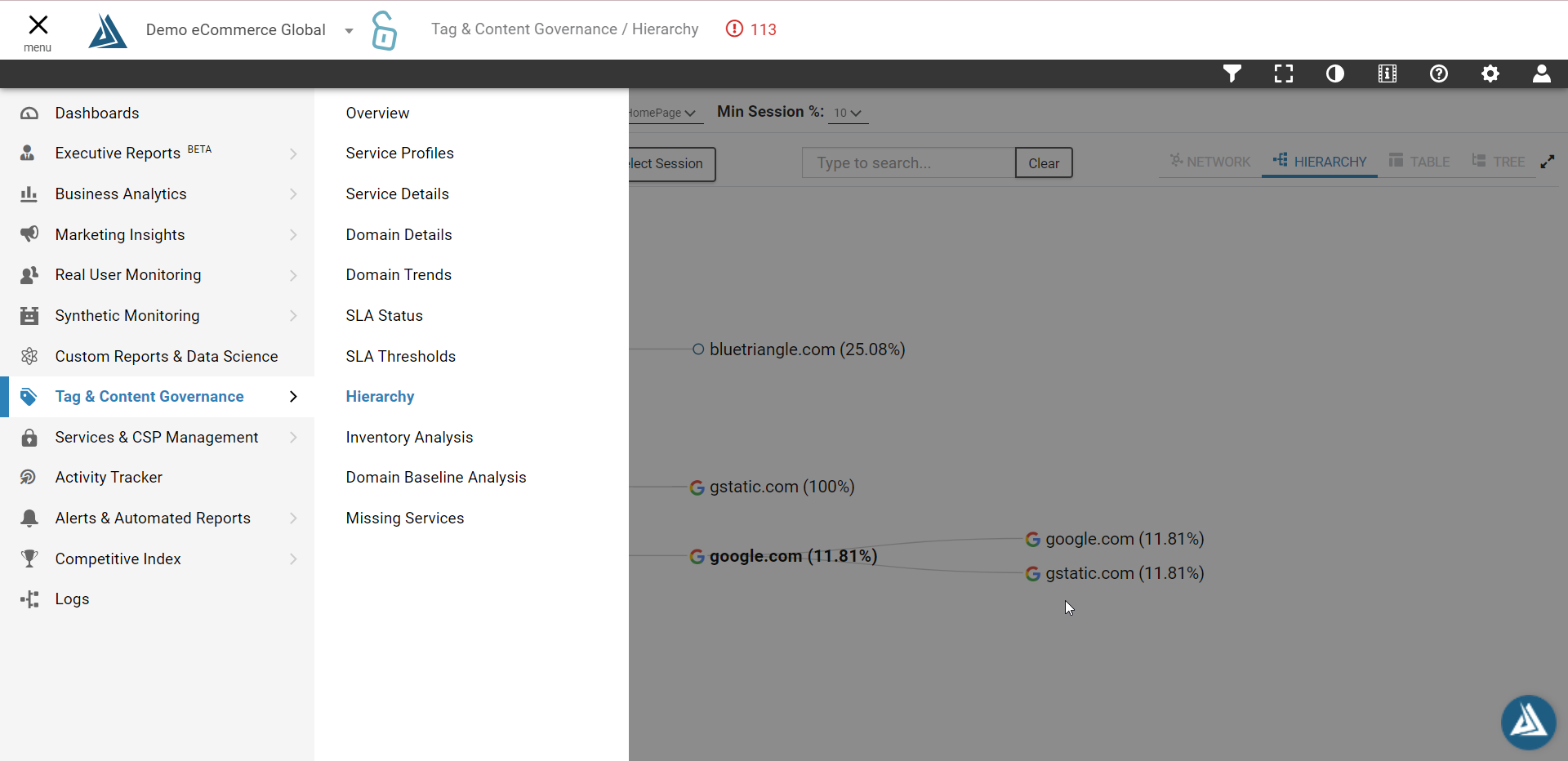
1. Select Tag and Content Governance in the left hand menu, then Hierarchy
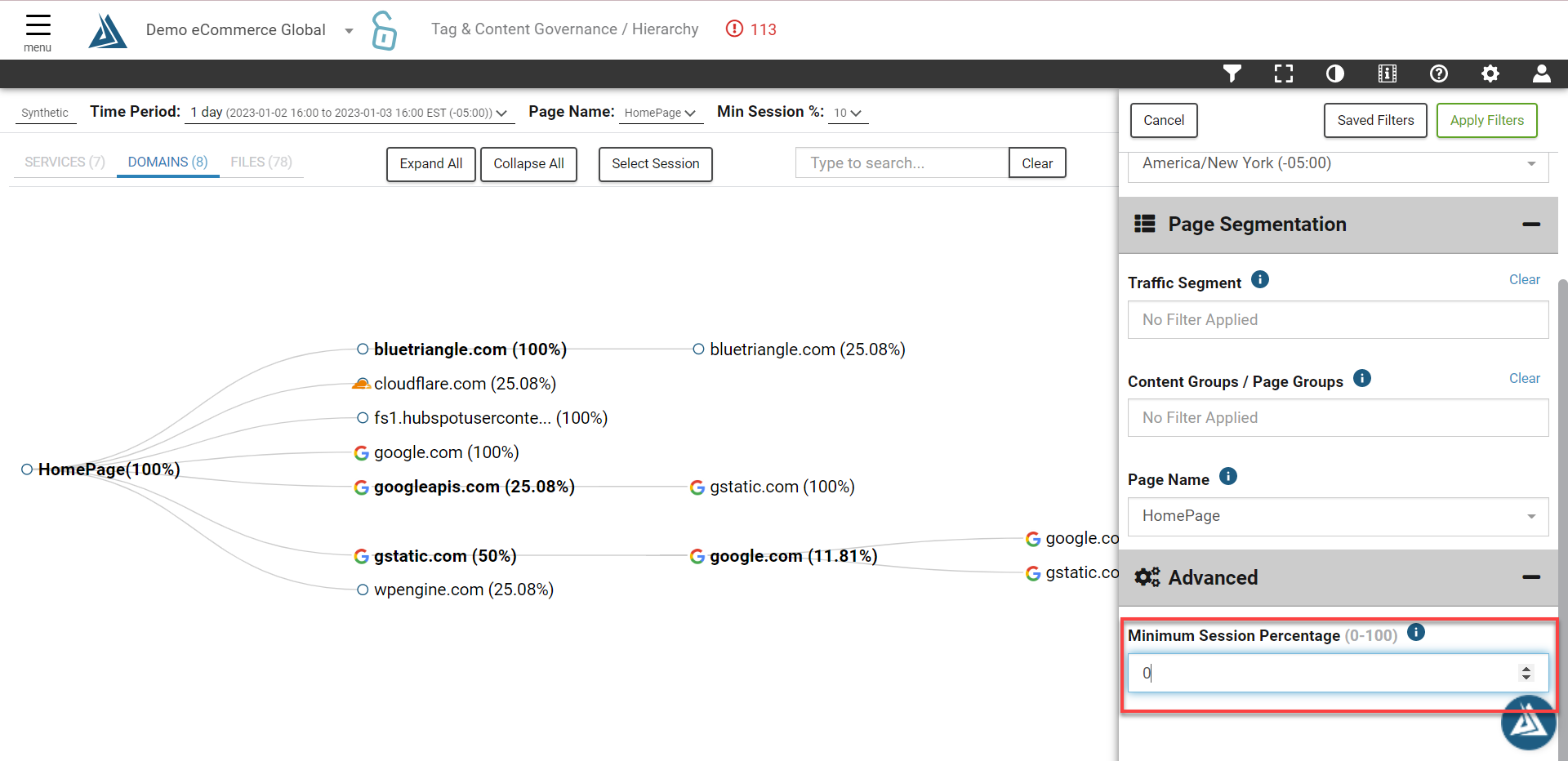
2. Open the filters and select: applicable time period, page name, and set minimum session percentage to '0'
3. Once applied you should be able to see service, domain, and file mapping for a specific page. This will allow you to identify any piggyback tags as well as rogue resources