

To request vendor feedback on their Service Profile:
1. Navigate to the specific service profile.
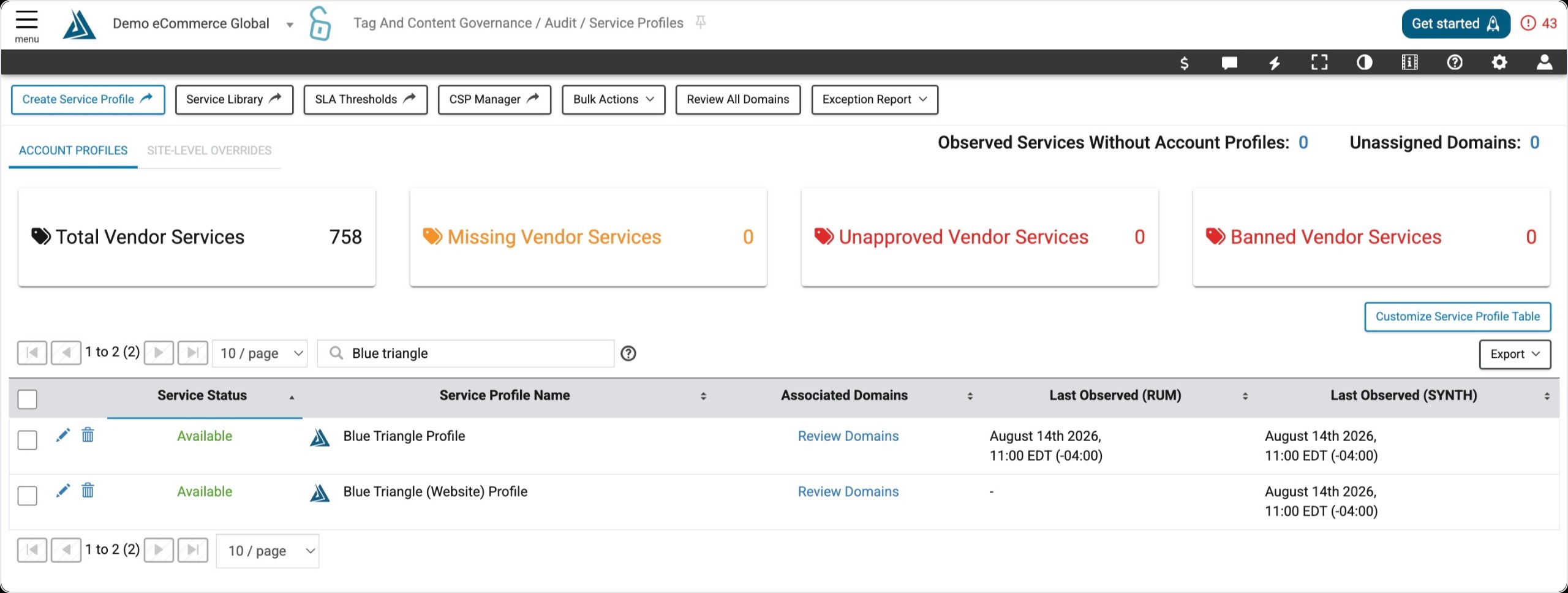
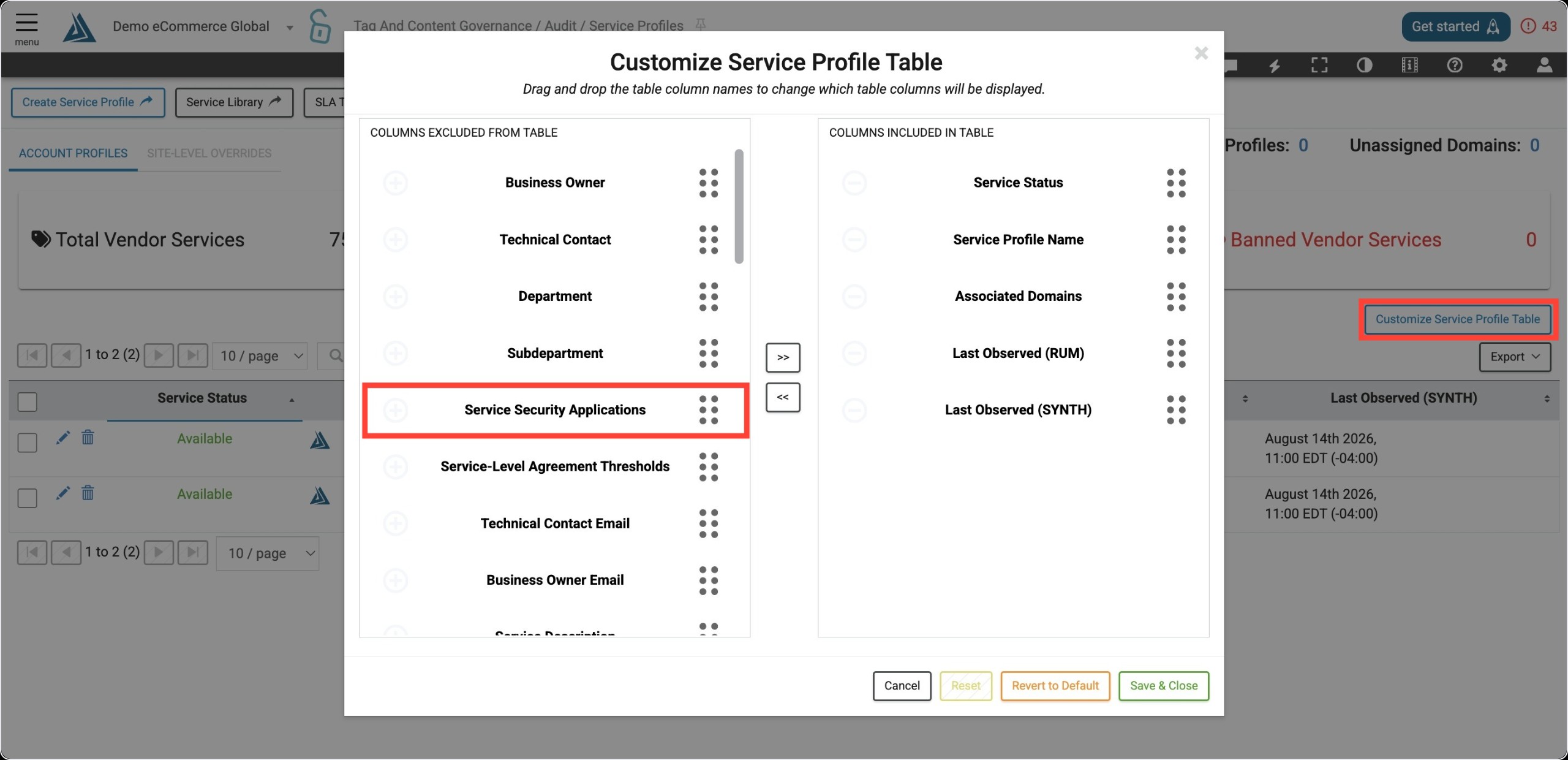
2. Click on the green 'Generate New Application' button. If you don't see this button, select the blue 'Customize Service Profile Table' button on the right. You will need to then move the 'Service Security Application' column from excluded to included.
3. This will generate an email and application link that you are able to copy and send to the vendor.
Submitted applications can be found in the same 'Service Security Application' column. The dropdown allows you to view different versions, if applicable. Note that department viewers do not have access to the Service Profile page.