

Introduction
The purpose of this feature is to protect customer data & allow for more precise control of who can access that data – all within the Account Management page. All Partner-level & BTT-level users will be referred to as Consultants. Consultants will be restricted in their access to site data by default & will need to be explicitly granted access. Access can be granted or revoked for entire Consultant Groups or for individual Consultant users – this functionality is available to Account Admins, Department Admins, and Consultants with access granted.
Accessing Data Access Control Screens
To access this new feature, open the "Settings & Administration" modal by clicking the cog in the upper right of the portal. Under the "Account" section, visit the "Account Management" page.
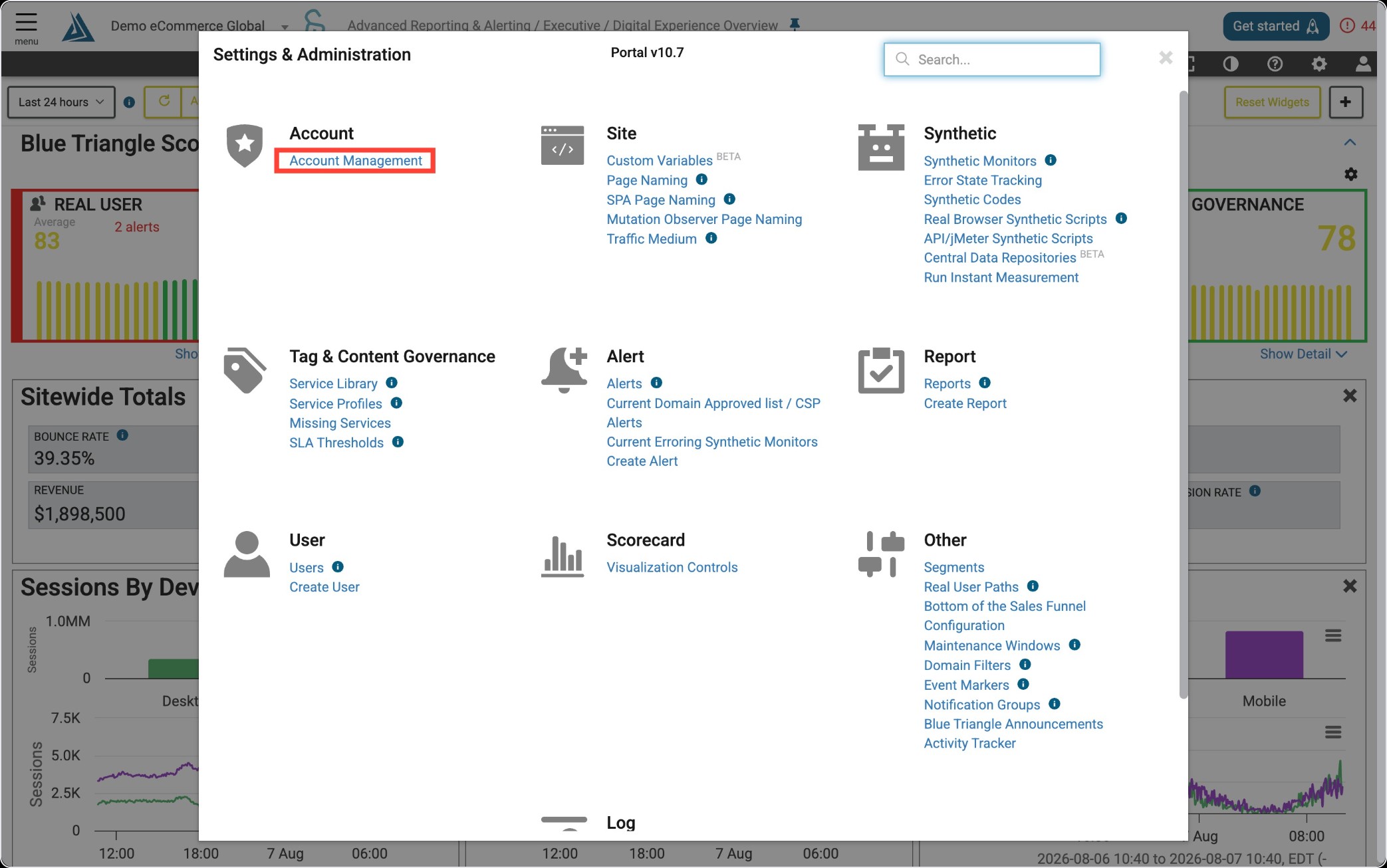
From there you can select an account to view or edit. These options vary depending on your access rights:
-
Account Admins can only select their respective Account
-
Department Admins can only select their respective Account
-
Department Viewers cannot access this page at all
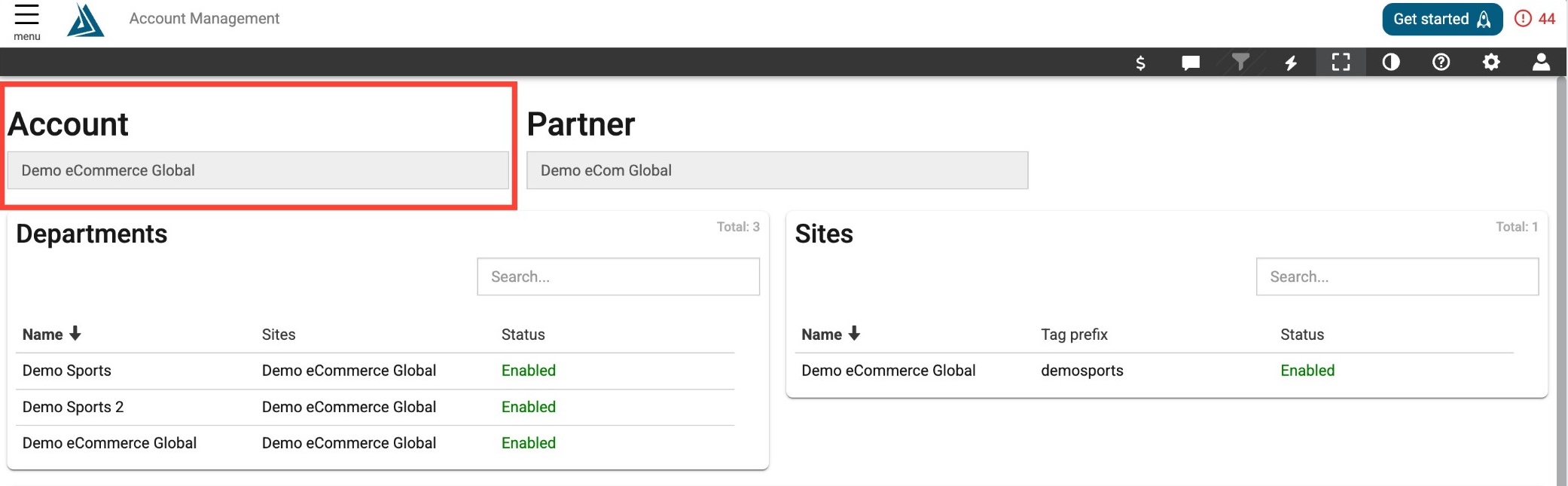
Also included here are items such as creating/edit accounts, accessing contracts, departments, sites, etc.
Account Permission Levels
Account Permissions - Account Admin
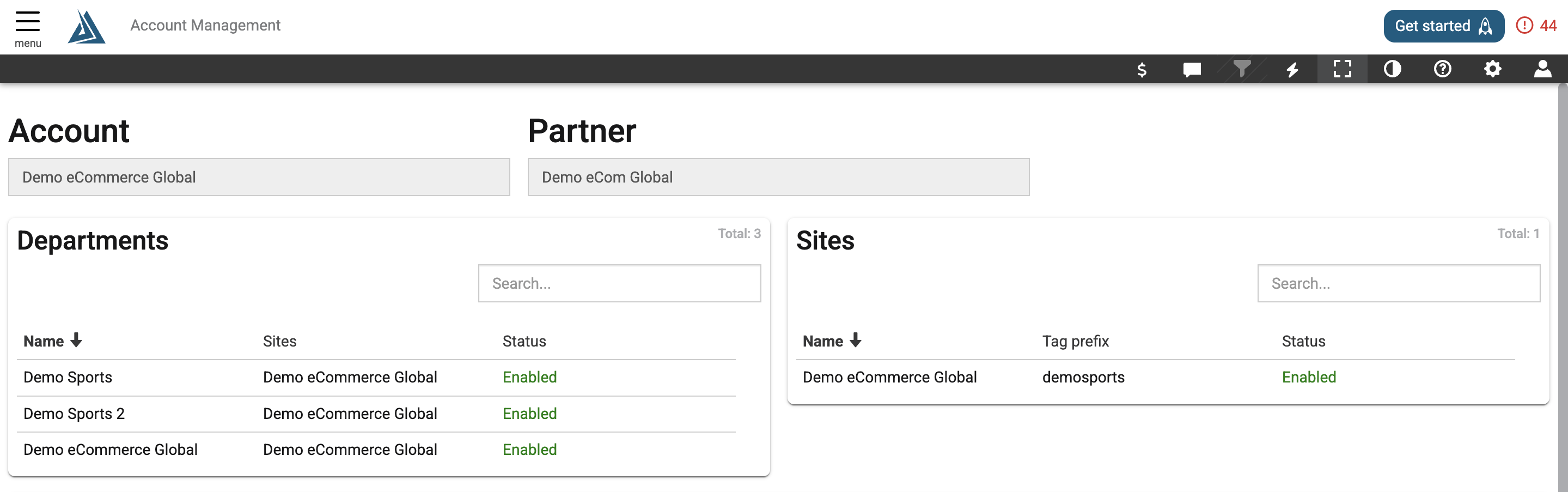
Account Admins are able to:
-
see the Current Contract, but can only view
-
see list of all Departments under the Account, with create and edit permissions
-
see list of all Sites under the Account, but can only view
Account Permissions - Department Admin
Department Admins are able to:
-
see list of their respective Department(s)
-
see list of Sites under their respective Department(s)
User Permission Levels
User Permissions - Account Admin
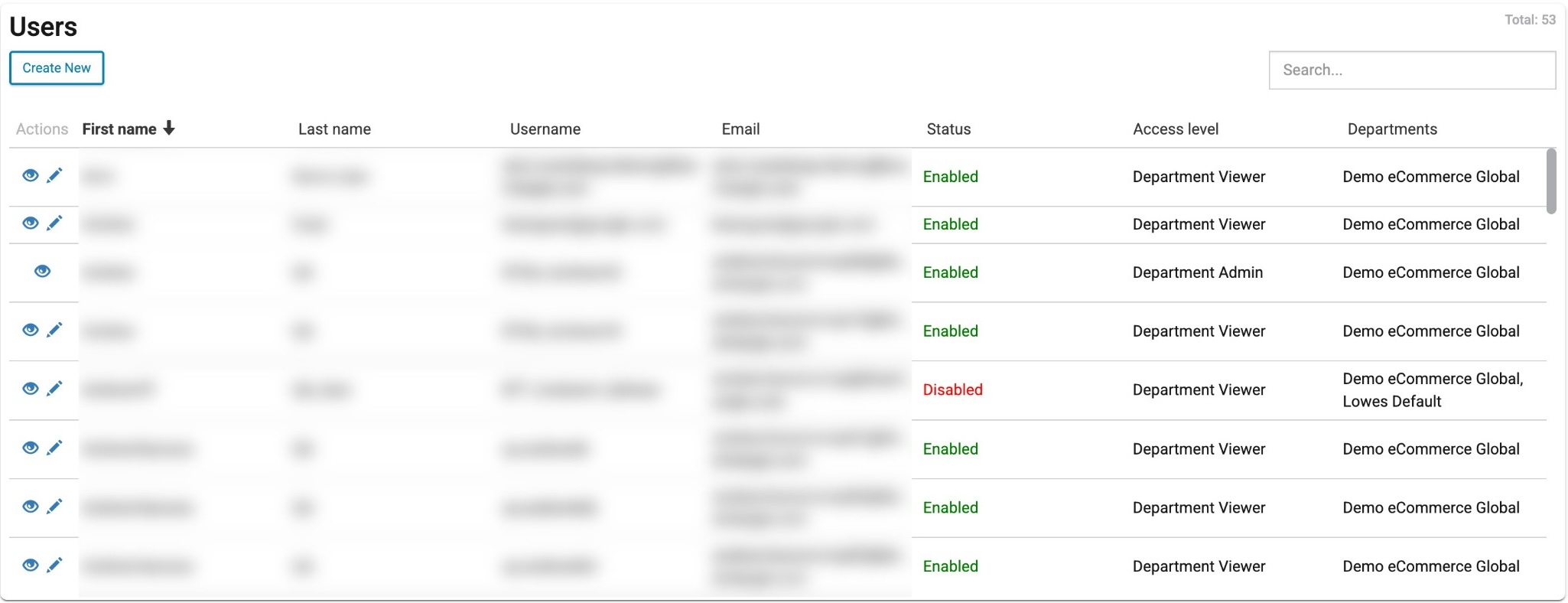
Account Admins are able to:
-
see list of Users under the Account (only showing those with access level of Account Admin, Department Admin, Department Viewer)
-
view/edit those Users & create a new User
User Permissions - Department Admin
Department Admins are able to:
-
see list of Users under the Account (only showing those with access level of Department Admin, Department Viewer)
-
view/edit those Users & create a new User
Consultant Group Data Access
When granted access, you can create or edit Consultant Groups in the portal settings. Consultant Groups are defined as follows:
-
Partner Admins/Consultant
-
BTT Admins/Consultants
-
Any user with an Access Level of 80+
This section will list Sites under the selected Account & which Consultant Groups and/or individual Consultants have had access granted/revoked.
Consultant Group Data Access Permissions - Account Admins
Account Admins are able to:
-
see list of all Sites under the Account
-
grant/revoke access for Consultant Groups and/or individual Consultants
Consultant Group Data Access Permissions - Department Admins
Department Admins are able to:
-
see list of Sites under their respective Department(s)
-
grant/revoke access for Consultant Groups and/or individual Consultants
Granting/Revoking Consultant Site Access
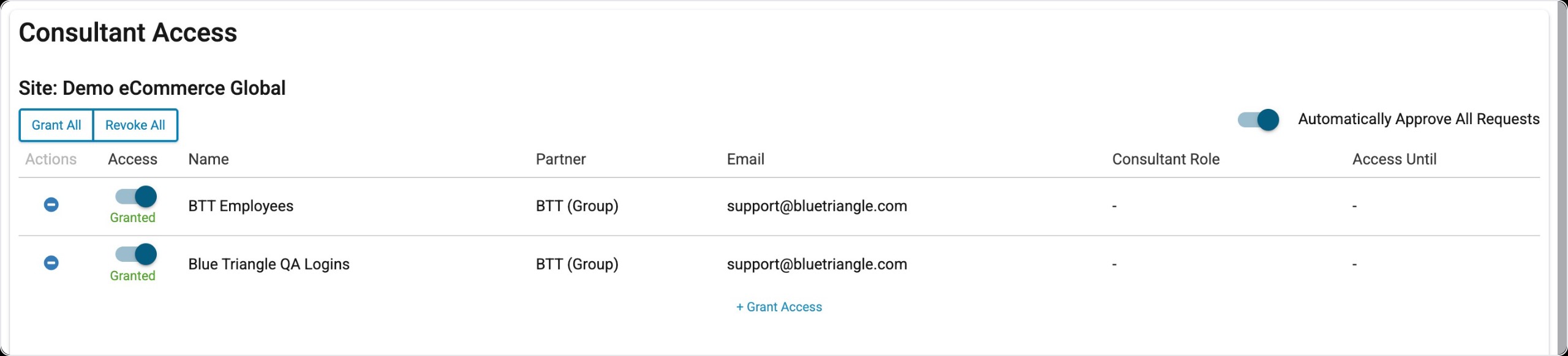
Access to a Site can be granted by clicking the "+ Grant Access" text, where you can select a configured Consultant Group or enter the email address on an individual user, which must be an exact match to their portal user's email.
For existing Consultant Groups and/or individual Consultants already added, access can be granted/revoked using the toggle in the "Access" column.
Rows in the list can be removed using the button in the "Actions" column.
NOTE: We recommend using Consultant Groups where possible, as it allows for simplified control & keeps Consultants anonymous.